Videos
Look up words in your video subtitles and replay any line from the subtitle sidebar.
iPhone & iPad · Android · Desktop

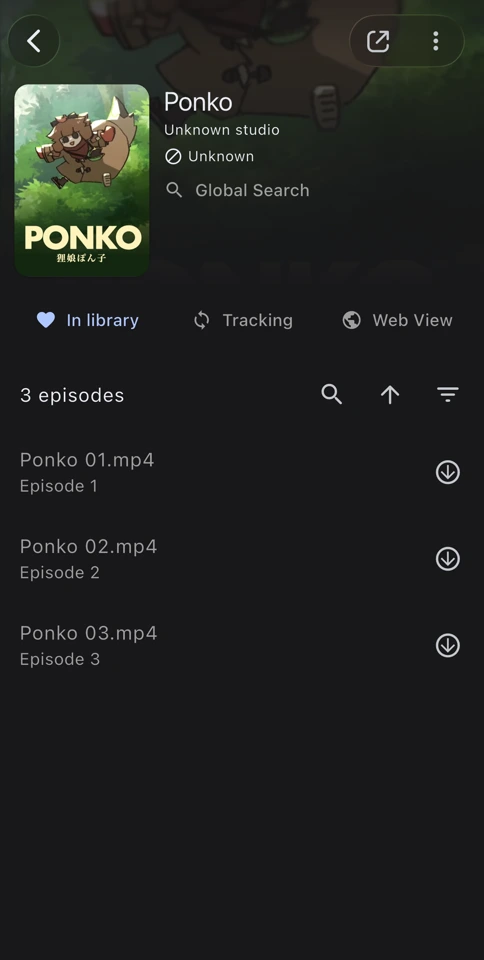
Organize episodes and replay lines
Import several video files at once and group them into a show. During playback, select a line in the subtitle sidebar to hear it again.
Save a word with its sentence
Save a word and its subtitle line to Manatan Flashcards or Anki. Audio and images depend on the source. The card icon in the dictionary marks words you’ve already saved.
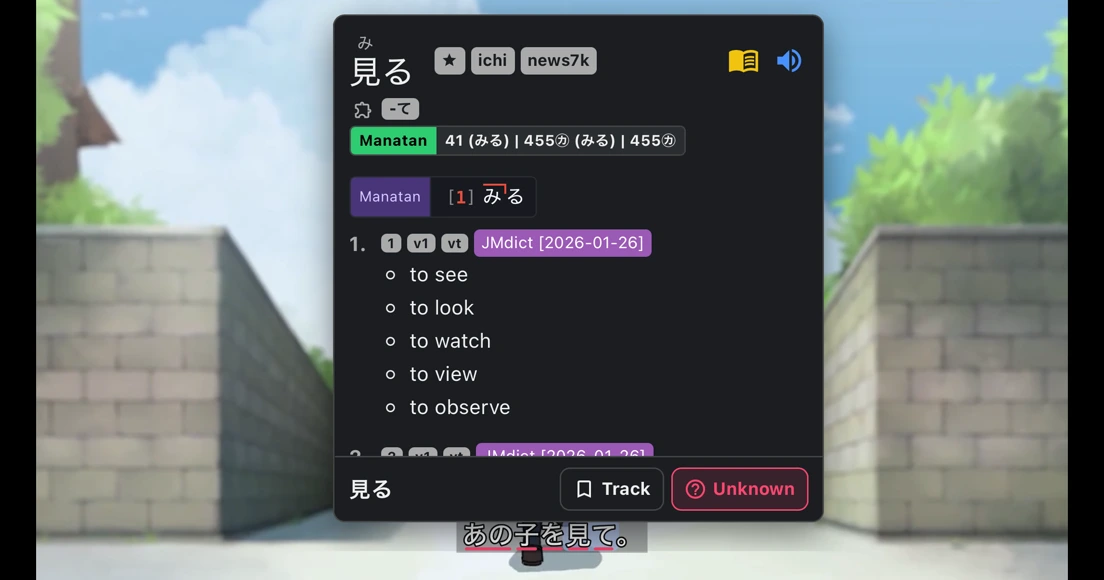
Set up interactive subtitles
Open a video
Import a local file or open a supported video source.
Open guideSelect a subtitle track
Choose an embedded text track or load a compatible subtitle file.
Look up a word
Import a dictionary for your language, then select a word in the subtitles.
Open guide
Requirements
- Dictionary data
- Import compatible dictionaries first. Readings, pronunciation, frequency and pitch information depend on the dictionary and language.
- Your content
- Bring media you own or are authorized to use. Manatan does not include the books, films or games shown in these examples.
- Tracks & playback
- Supported video formats and sources vary by device. Use OCR to look up subtitles that are part of the picture.