Generate subtitles for your videos
When a video has no captions, turn its dialogue into timed subtitles you can replay and look up words in.
iPhone & iPad · Android · Desktop · Browser extension

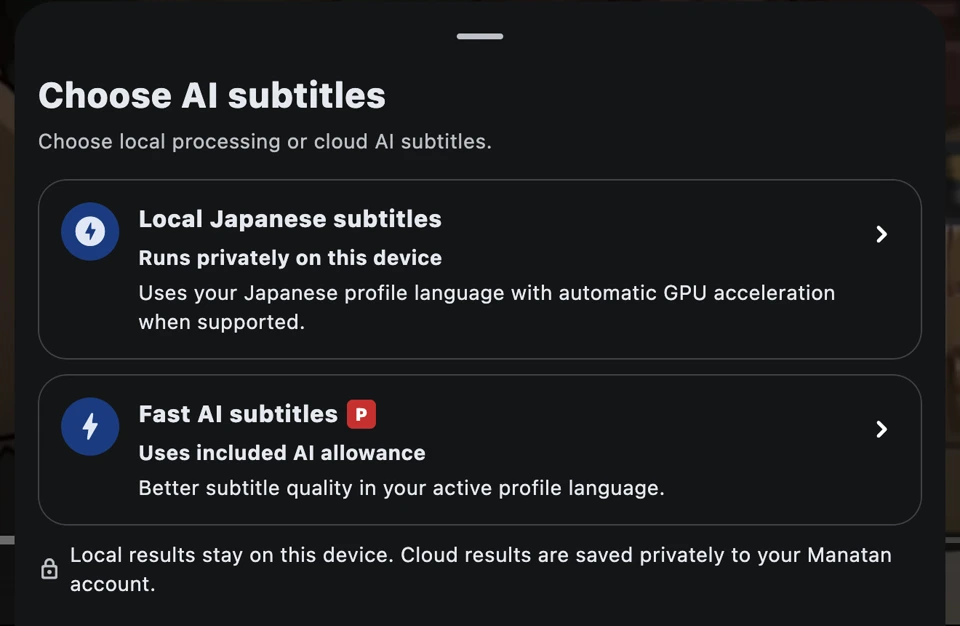
Choose where to transcribe
Local subtitles keep the audio on your device. The app uses your learning language and may need to download a speech model the first time. Fast AI subtitles use Manatan’s hosted service on supported videos and YouTube sources.
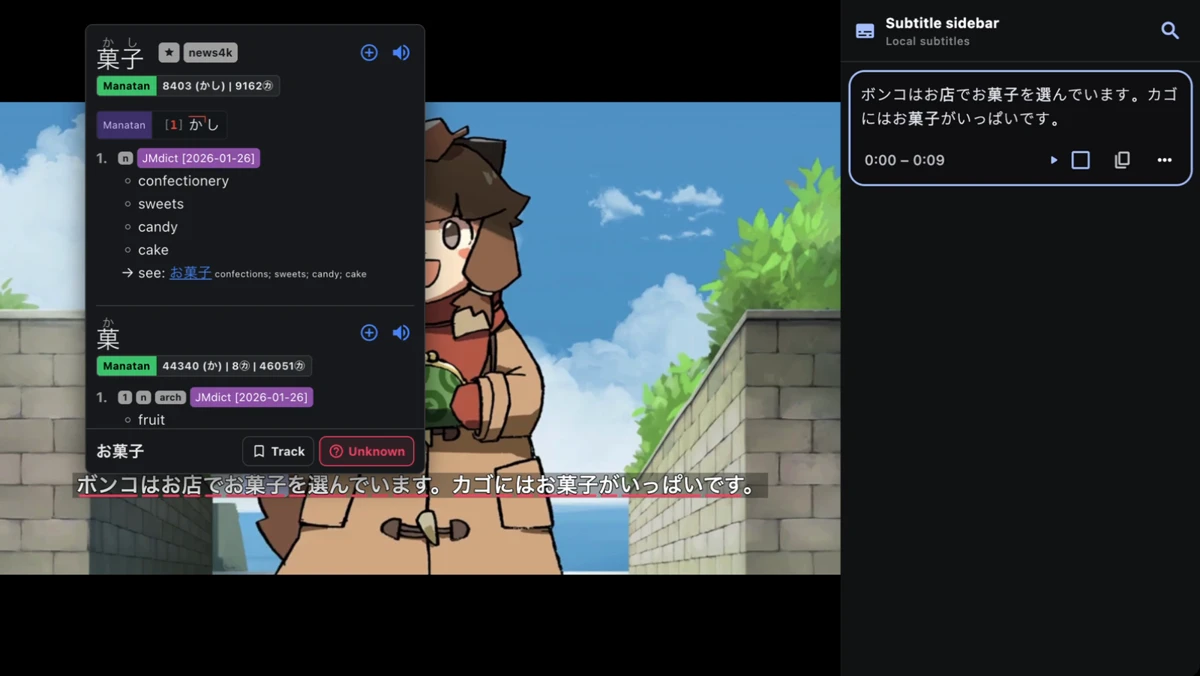
Replay a line and look up a word
Select a line in the subtitle sidebar to jump back to it. Tap an unfamiliar word in the caption to open the dictionary.
Generate your first subtitles
Open a video
Play a supported video and open Subtitle options in the player.
Import a videoGenerate subtitles
Select Generate AI subtitles. Choose Local subtitles or Fast AI subtitles, depending on your source and device.
Check the captions
Play a few lines to check the wording and timing. Open the subtitle sidebar to replay a line.
Requirements
- Local subtitles
- You need a supported device, learning language, and audio source. The first use may require a model download.
- Fast AI subtitles
- The hosted option requires an internet connection, a Manatan account, and available service credits.
- Caption accuracy
- Background sound, overlapping voices, and names can affect wording and timing.