 Manatan
A 30-Minute Japanese Immersion Routine With Manatan
Spend more time with a story and less time deciding what to study. Try a simple reading, lookup, and review routine you can adjust to your day.
You open an app to study Japanese, spend ten minutes choosing something, then look up every unfamiliar word. By the end, you have collected vocabulary but barely followed the story.
Try giving each part of the session a small job instead. This routine uses one passage, a few useful lookups, and a short review. Thirty minutes is a convenient starting point, not a target everyone needs to hit.
Before you start
Have Manatan installed, a compatible dictionary imported, and something you are allowed to read or watch. If you need the basics, follow your first Manatan session and the dictionary setup guide.
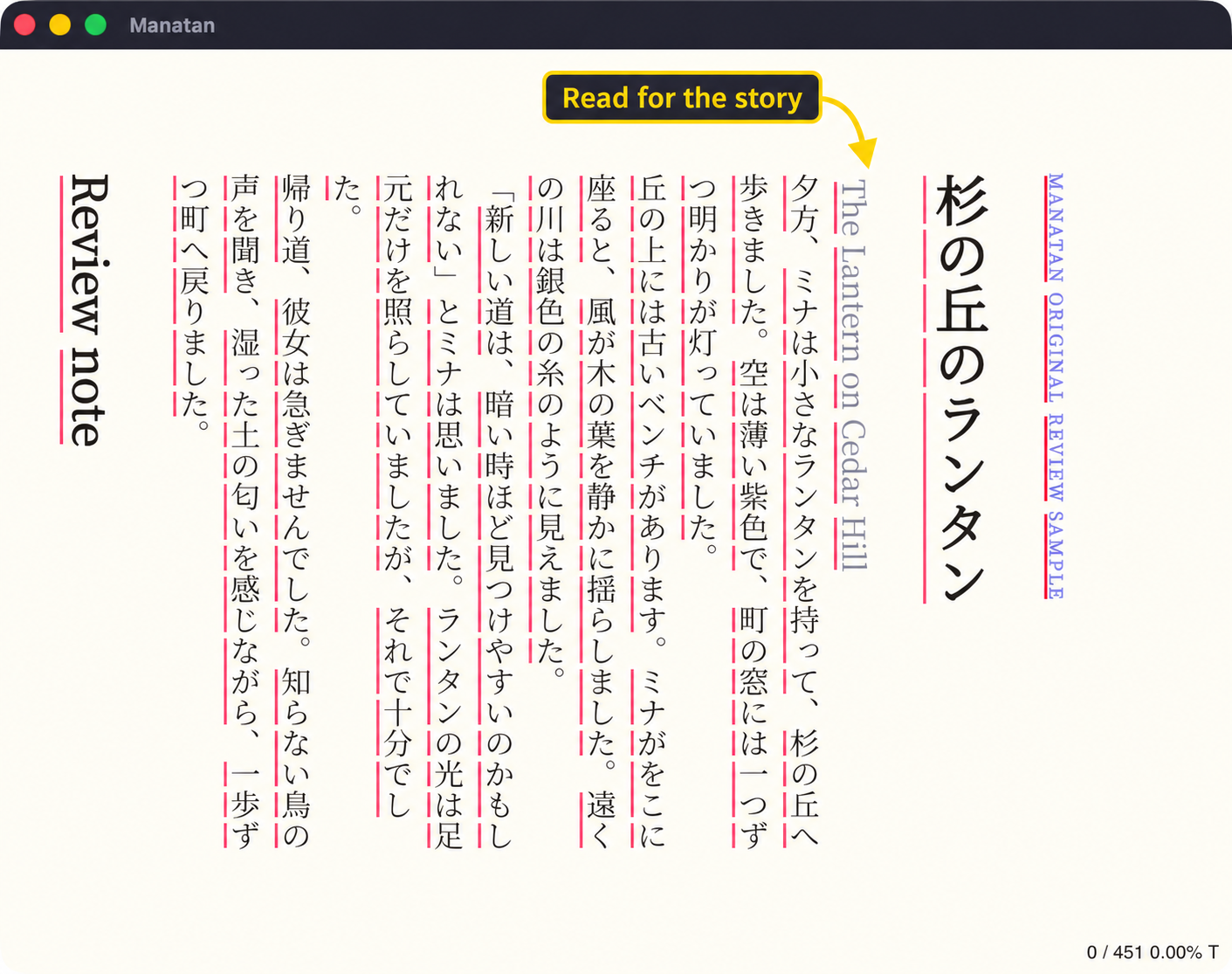
The example below uses an original Japanese EPUB and real JMdict results in the Flutter desktop app. You can use the same time blocks with manga, a short video scene, or a podcast.
Minutes 0 to 2: pick one thing
Resume a book or scene you already want to finish. Aim for material where you can follow at least part of what is happening without stopping at every sentence. You do not need a perfect difficulty score.
If you keep losing the thread, choose something shorter or more familiar. Our content discovery guide can help you find a starting point.
Minutes 2 to 22: stay with the story
Read for the situation first. Who is there? What are they doing? What changed? Let a few unknown words pass if you can still follow the scene.
Tap a word when it blocks the meaning or keeps appearing. Read the definition that fits the sentence, close the popup, then read that sentence again. For video, replay the line and continue watching.
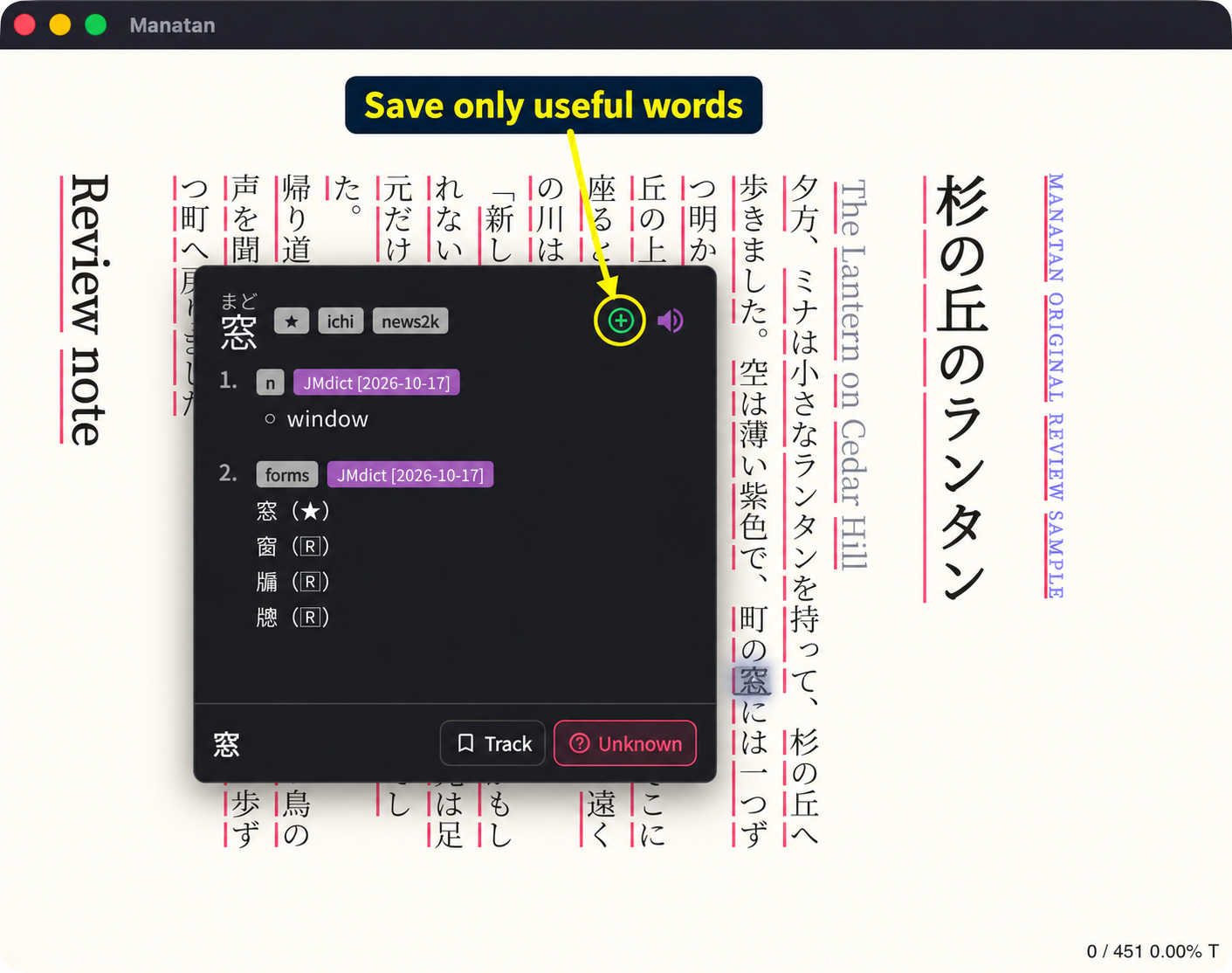
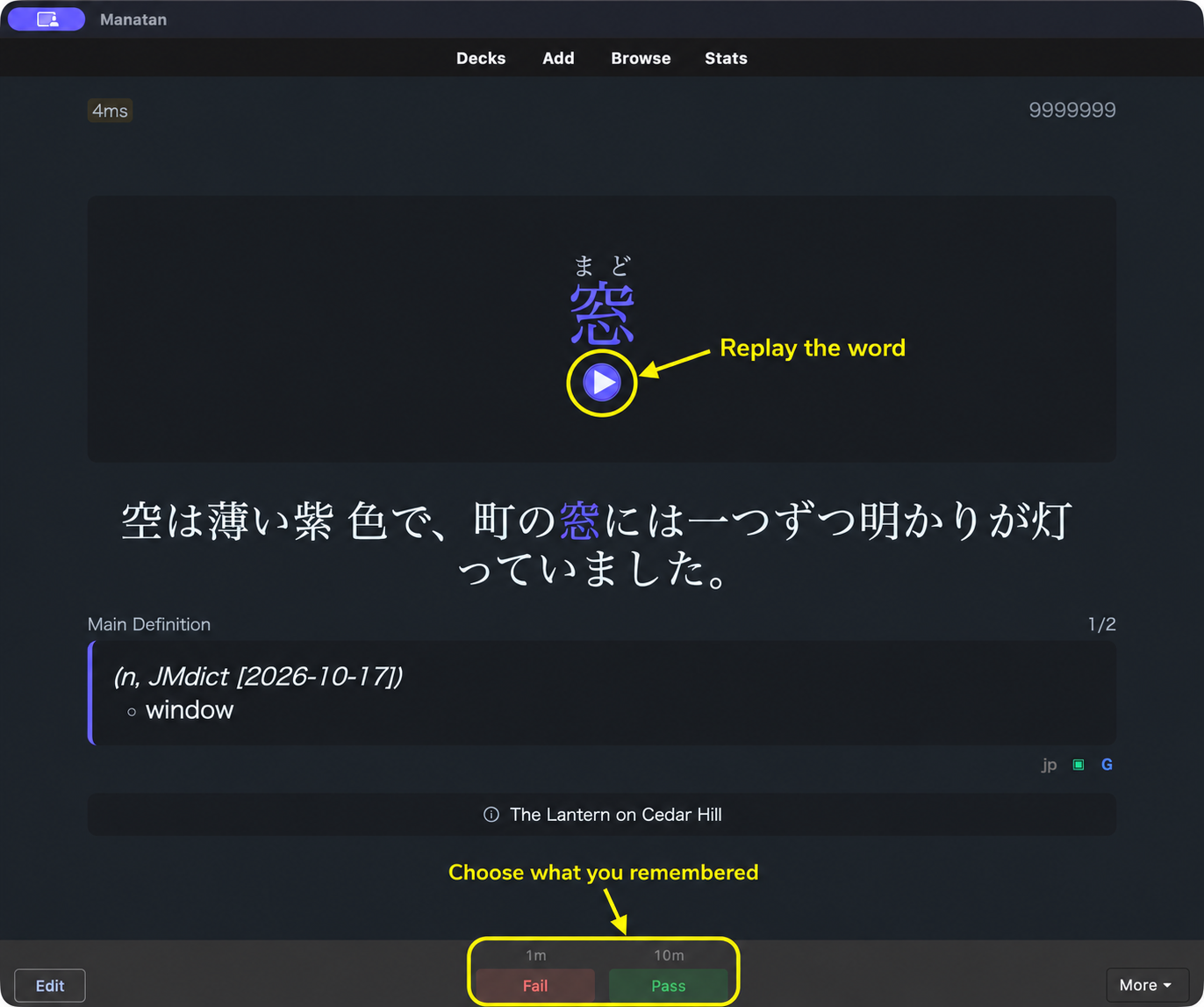
In this example, 窓 is read まど and means window. The useful part is connecting it to the windows lighting up in the story, not copying every dictionary detail.
Minutes 22 to 25: keep a few useful words
Save something you would like to recognize next time. One to three words can be enough for this starter routine, and saving none is fine. Do not turn that number into a quota.
With Manatan SRS selected as your flashcard provider and a destination deck chosen, use the green plus in the dictionary entry. Here it saves 窓 to the demo deck named Daily reading. That name is an example, not a built-in deck everyone needs.
For the initial provider and deck setup, follow save words and review with Manatan SRS. Already using Anki? Use the AnkiConnect guide instead. You do not need to maintain both systems.
Minutes 25 to 30: do a short review
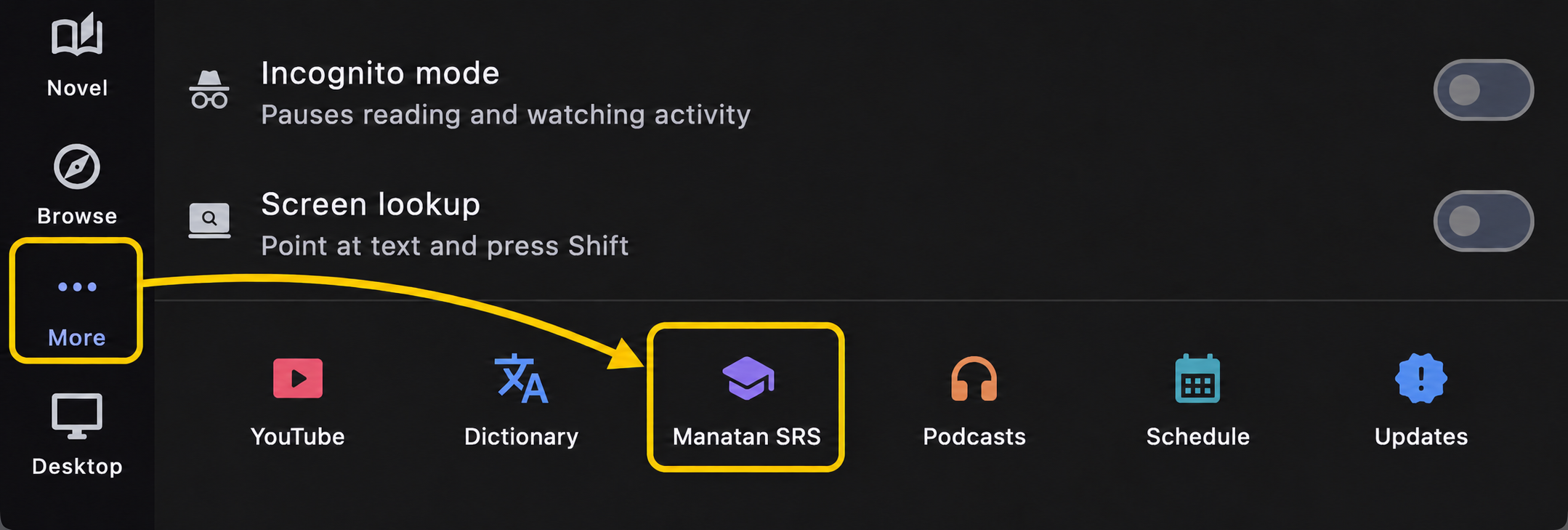
Open More, then Manatan SRS.
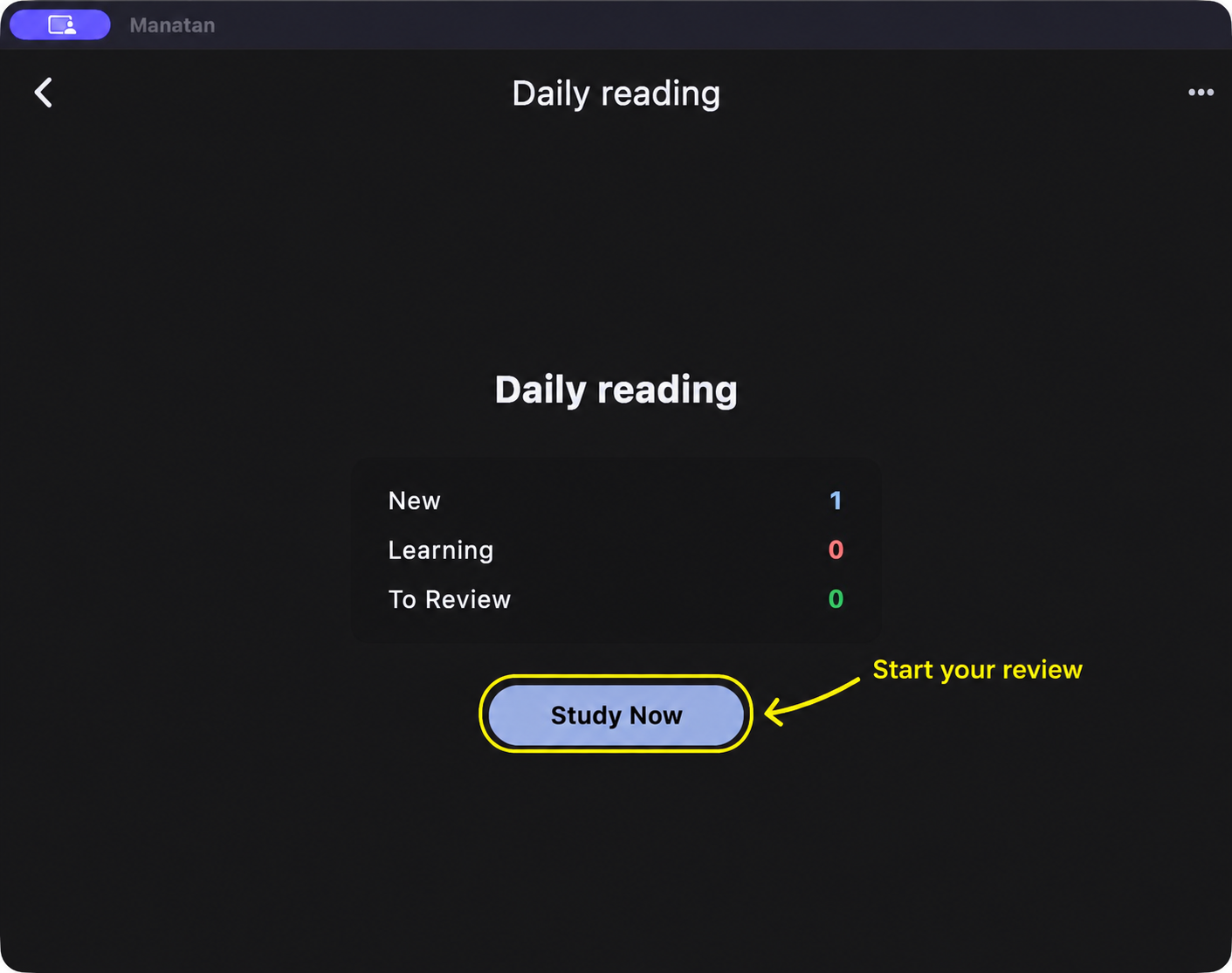
Open your deck and choose Study Now. If you already have cards due, make time for those before collecting more new cards. The screenshot shows one new demonstration card, not a card that has already become due.
Try recalling the word before selecting Show Answer.
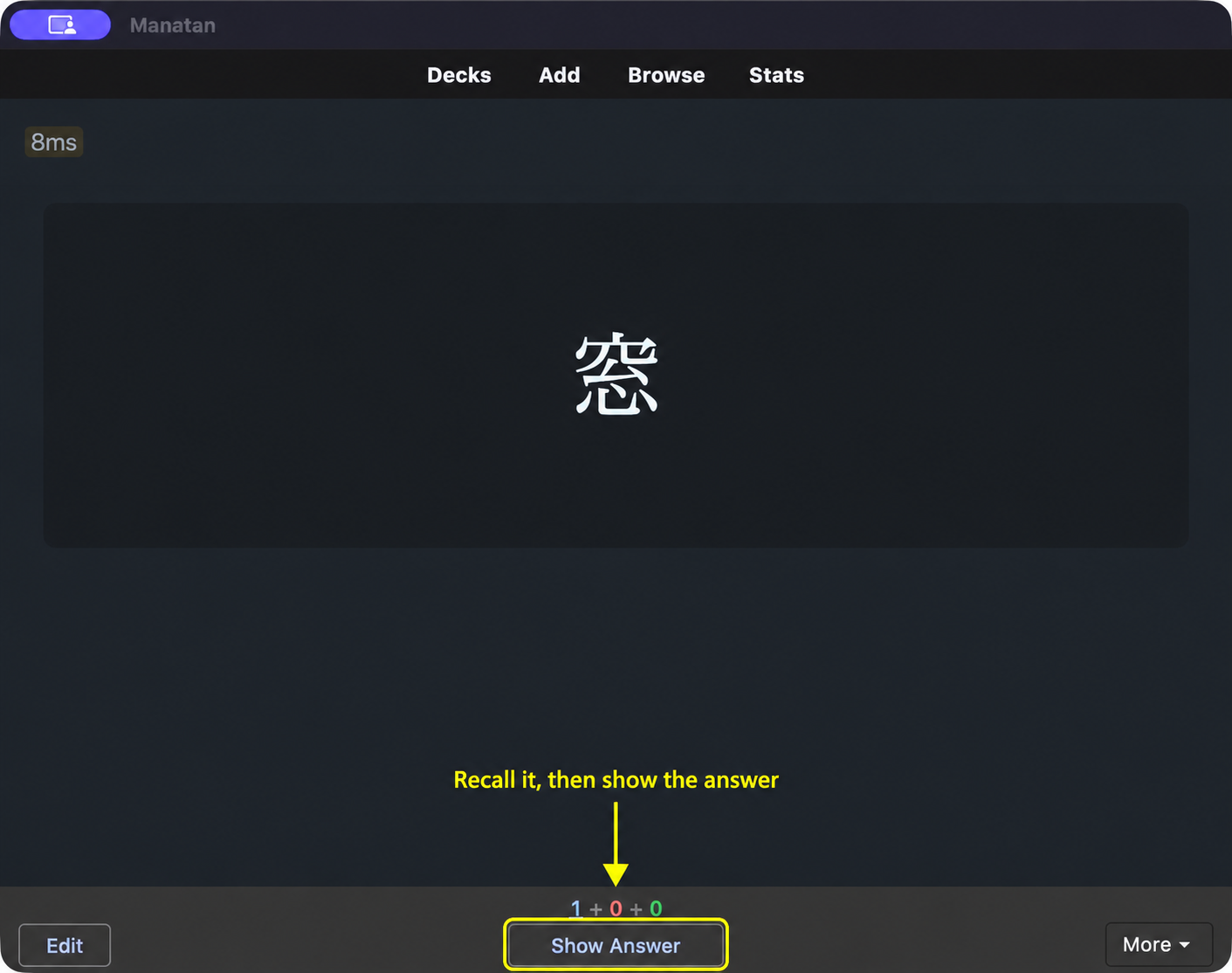
Check the reading and meaning. Use the replay button if you want to hear the word again. Choose Pass if you recalled it, or Fail if you did not. There is no need to make the result look better than it was.
Make it easy to return tomorrow
Stop at a place you can find again. Next session, resume the same story rather than starting another search.
On a busy day, shorten the reading block and do a brief review. If reviews are piling up, add fewer new cards. The goal is a routine you want to return to, with most of your attention on Japanese you care about.