 Manatan
How to Connect Manatan to Anki With AnkiConnect
Keep your Anki routine. Connect Manatan to the desktop app and turn a useful dictionary lookup into a card with context.
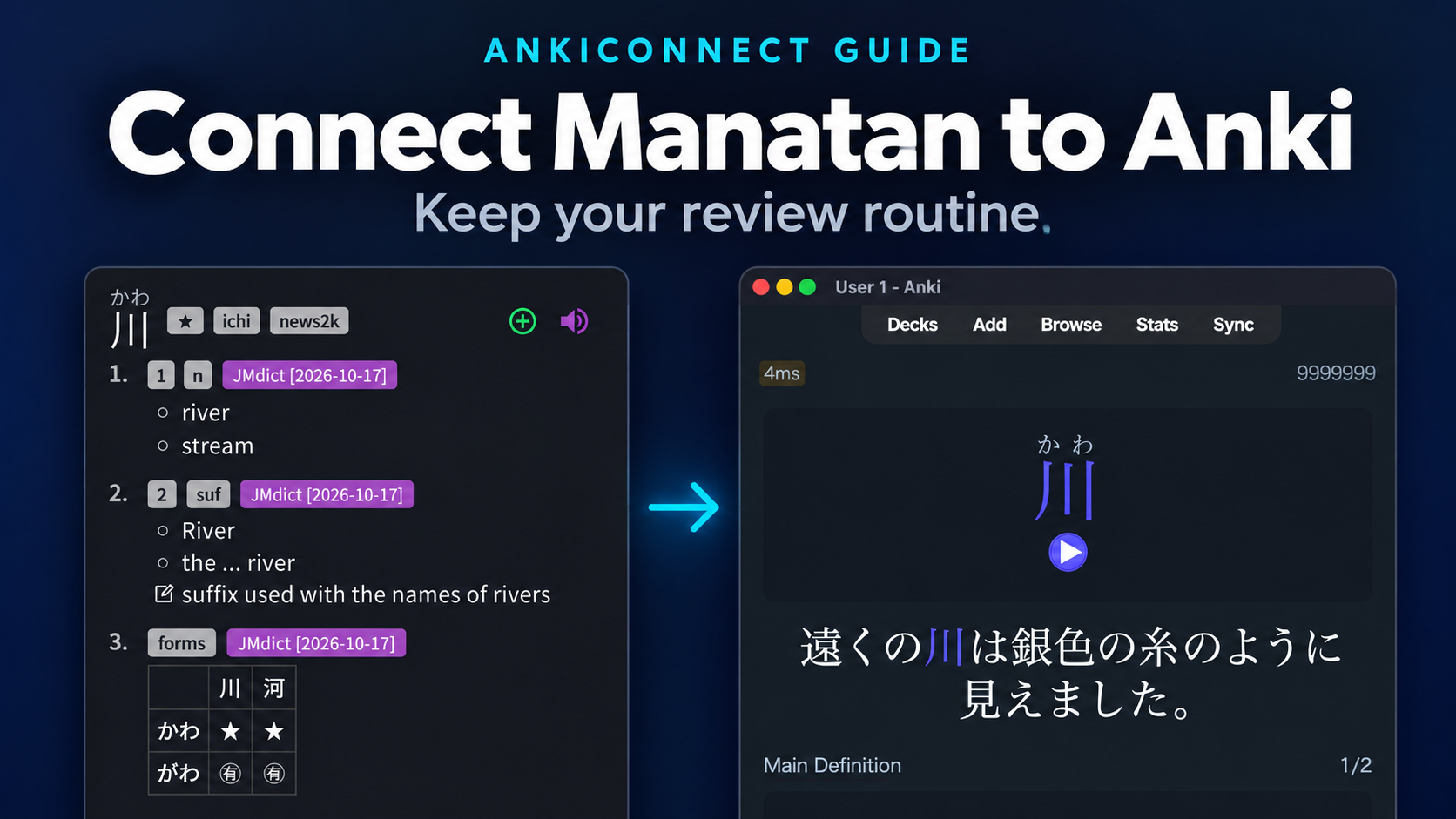
If you already review in Anki, you do not need to move your study routine into a different app. AnkiConnect lets Manatan send cards to Anki while you watch or read.
This guide covers Anki on a desktop computer. Start with Anki from its official website and keep it open while sending cards. AnkiWeb in a browser is not a replacement for the desktop app. AnkiDroid and AnkiMobile use different integration paths.
The Manatan screenshots below use the Flutter desktop app on the same computer as Anki.
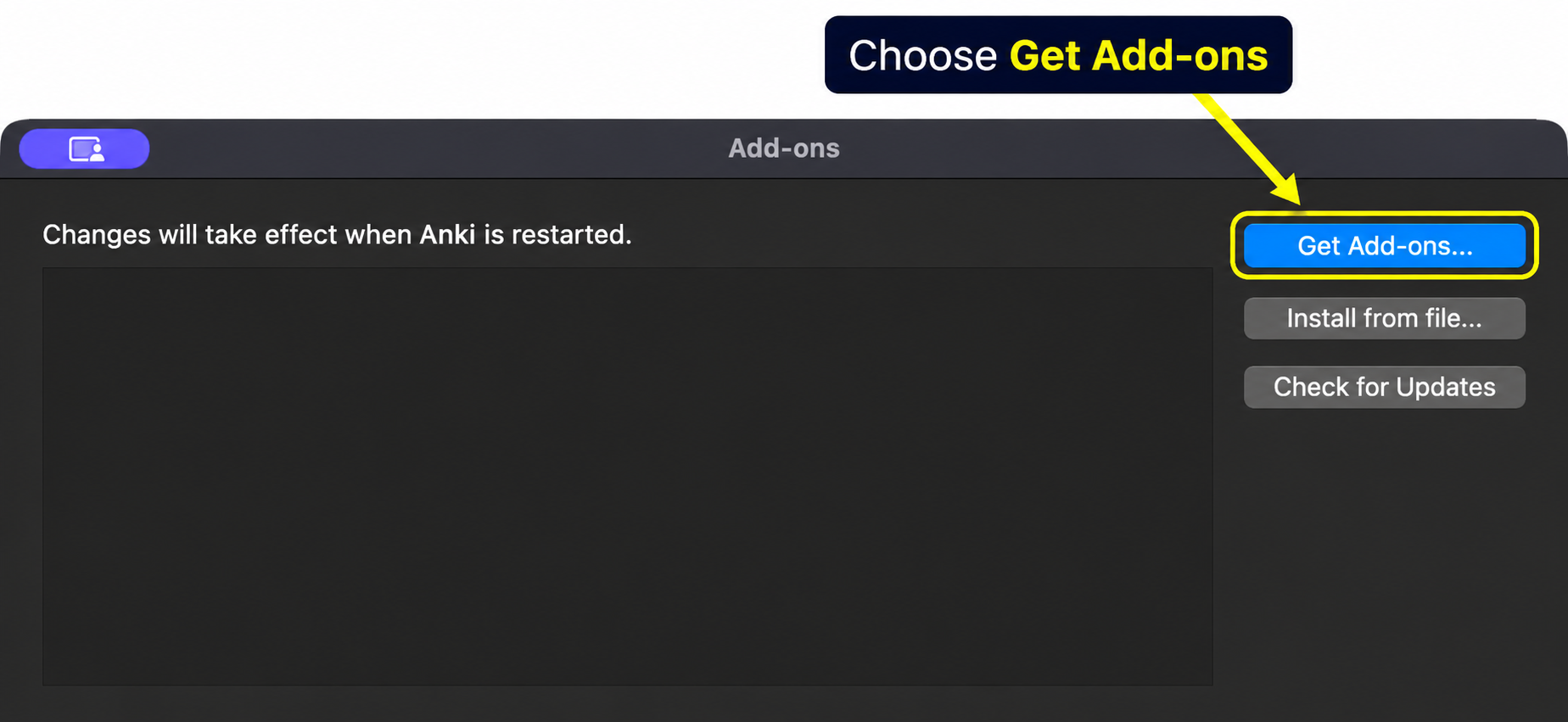
1. Open Anki's add-on installer
In Anki, choose Tools → Add-ons, then Get Add-ons. On macOS, Tools is in the menu bar at the top of the screen.
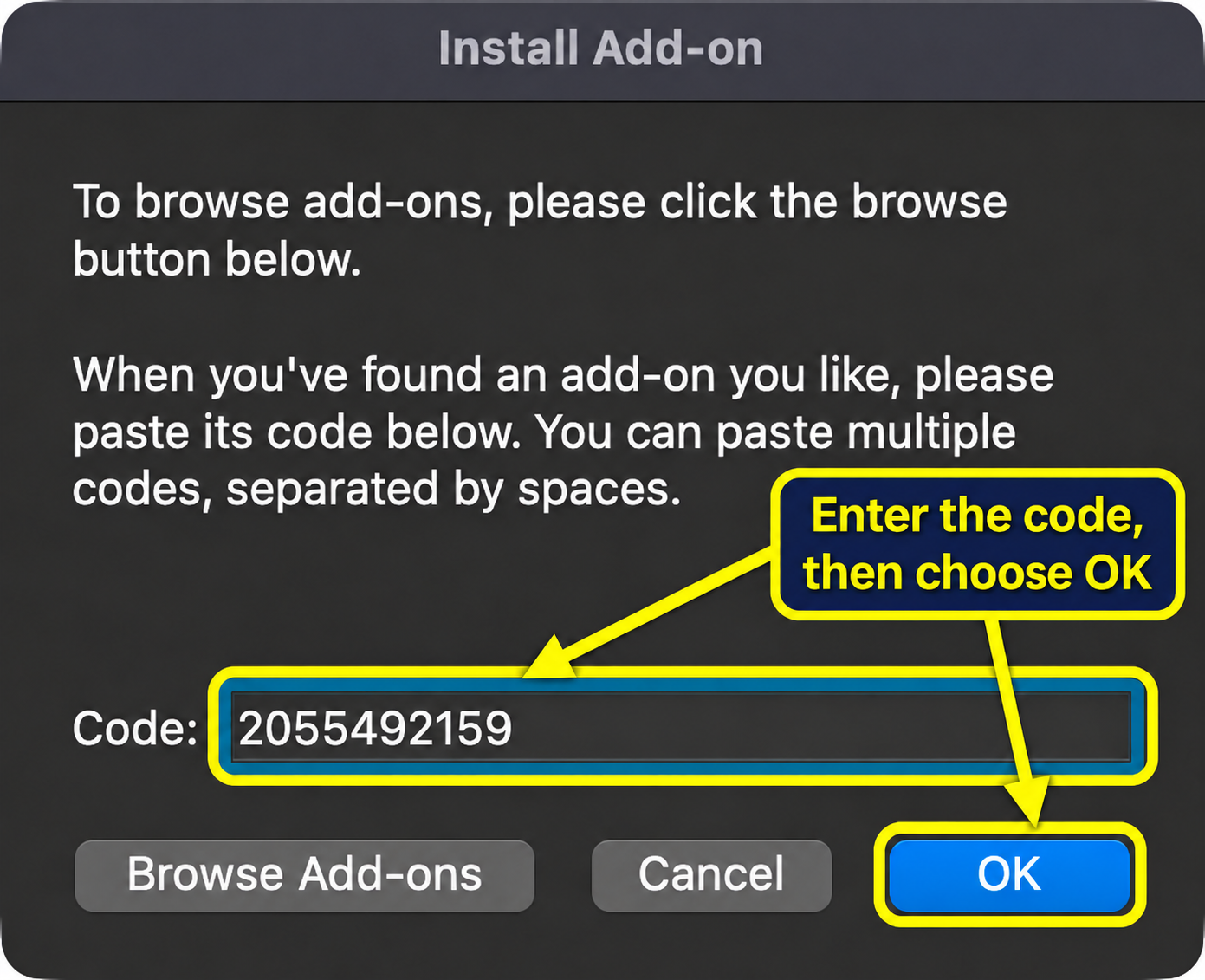
2. Install AnkiConnect and restart Anki
Enter 2055492159 in the Code box and choose OK. This is the code on the AnkiConnect add-on page.
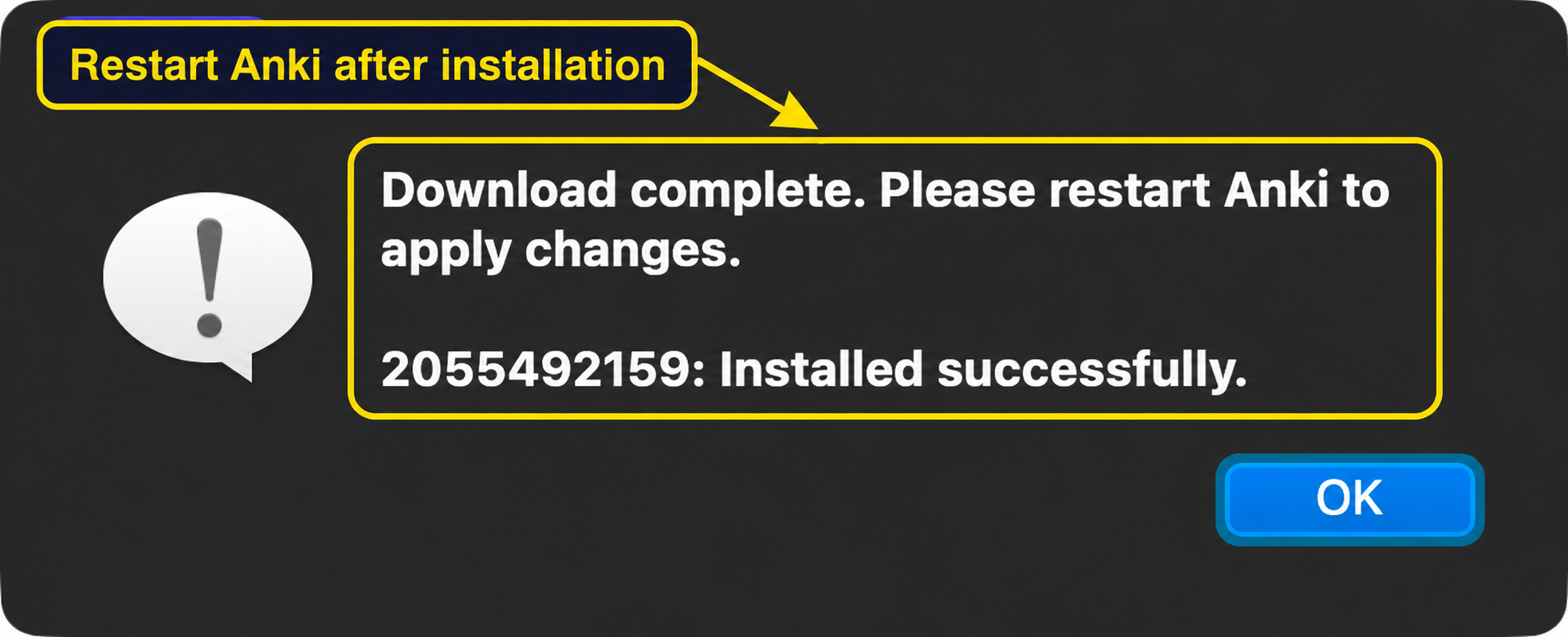
Wait for Installed successfully, dismiss the message, then quit and reopen Anki. Closing only the Add-ons dialog does not apply the installation.
Only install add-ons you trust. Anki add-ons run code on your computer.
3. Connect Manatan to Anki
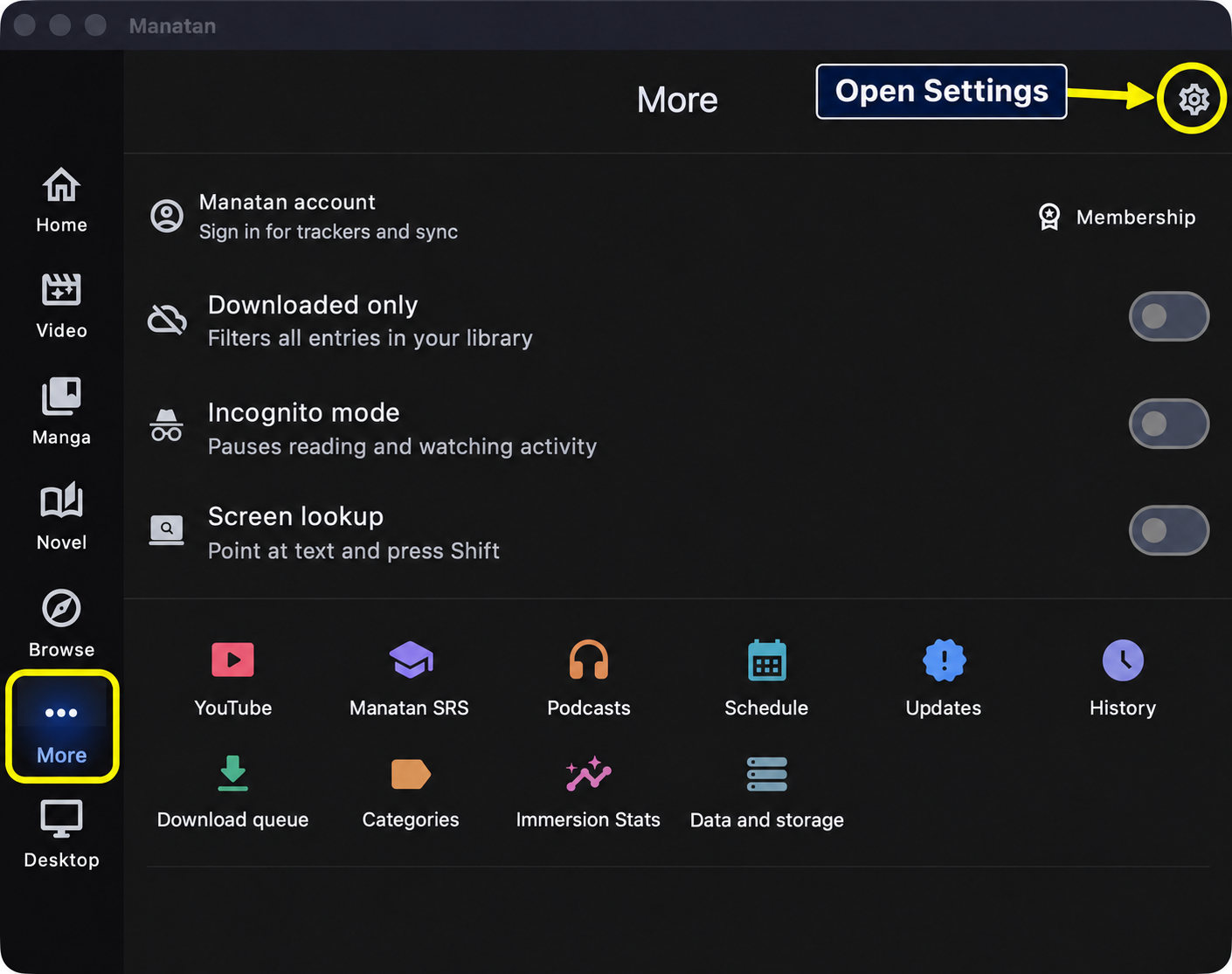
In Manatan, open More and choose the settings gear at the top right.
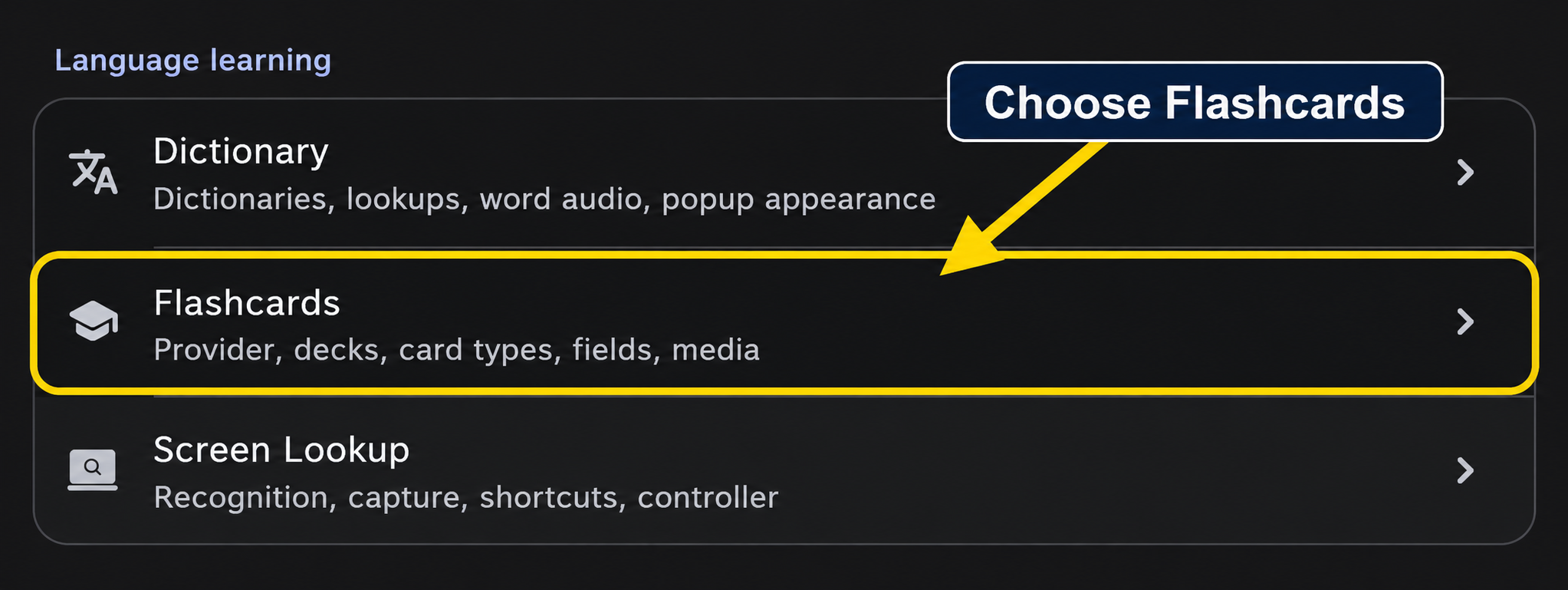
Under Language learning, open Flashcards.
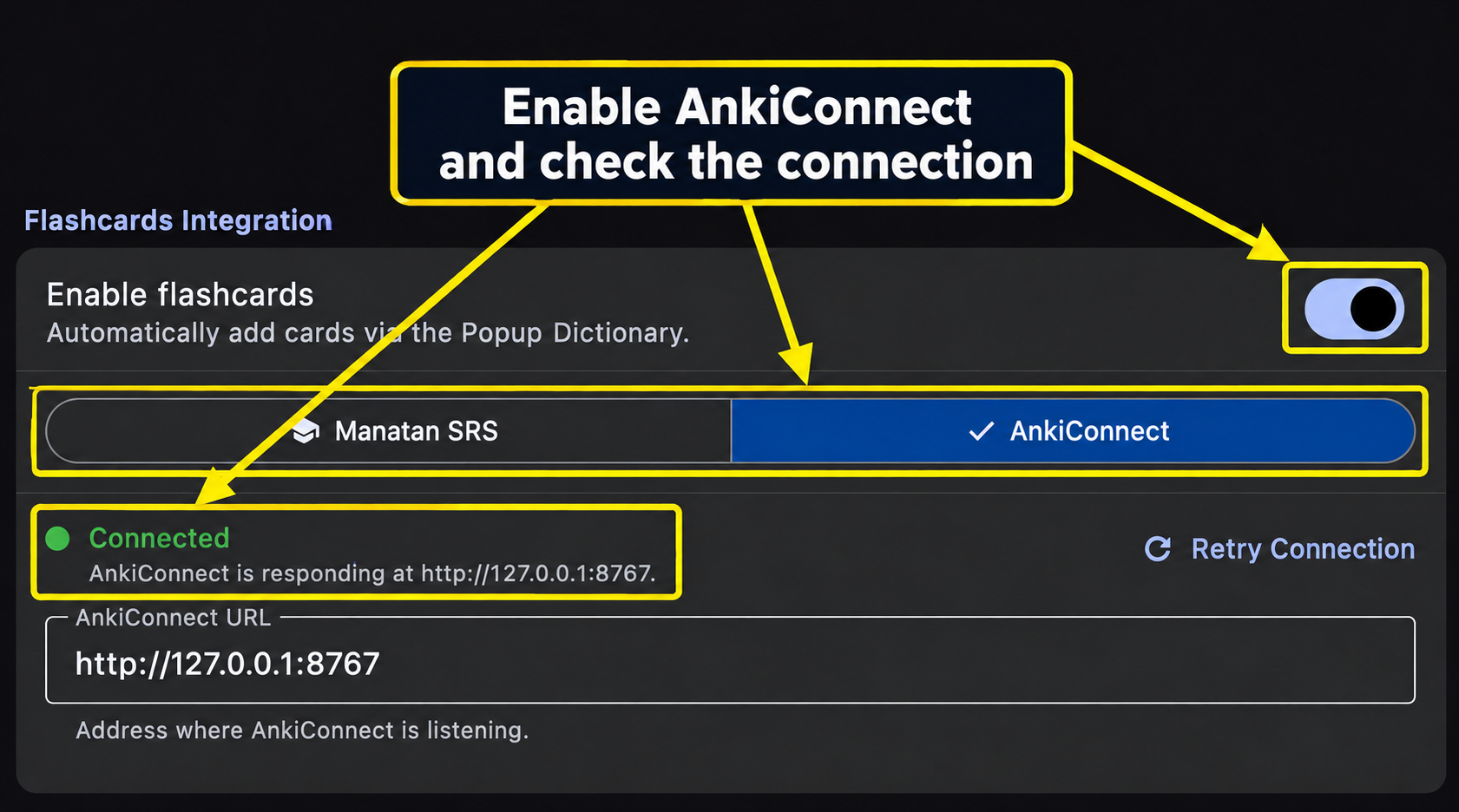
Turn on Enable flashcards and select AnkiConnect, not Manatan SRS. The usual address for Anki on the same computer is http://127.0.0.1:8765. If you intentionally configured a different port in AnkiConnect, use that same port here.
Choose Retry Connection if needed, and wait for Connected before choosing a deck or card type.
These captures use a deliberately configured test port, 8767. Keep 8765 unless you changed AnkiConnect's own configuration.
4. Choose your deck and the official Manatan-NoteType
Create a deck in Anki if you do not have one for these cards. In Manatan's Flashcards settings, choose it under Target Deck. This example uses Story vocabulary.
Choose Manatan-NoteType (default) under Card Type. Manatan installs the official Manatan-NoteType package when needed for the first card. Selecting a recognized note type applies its matching field preset; do not map every field to the same value.
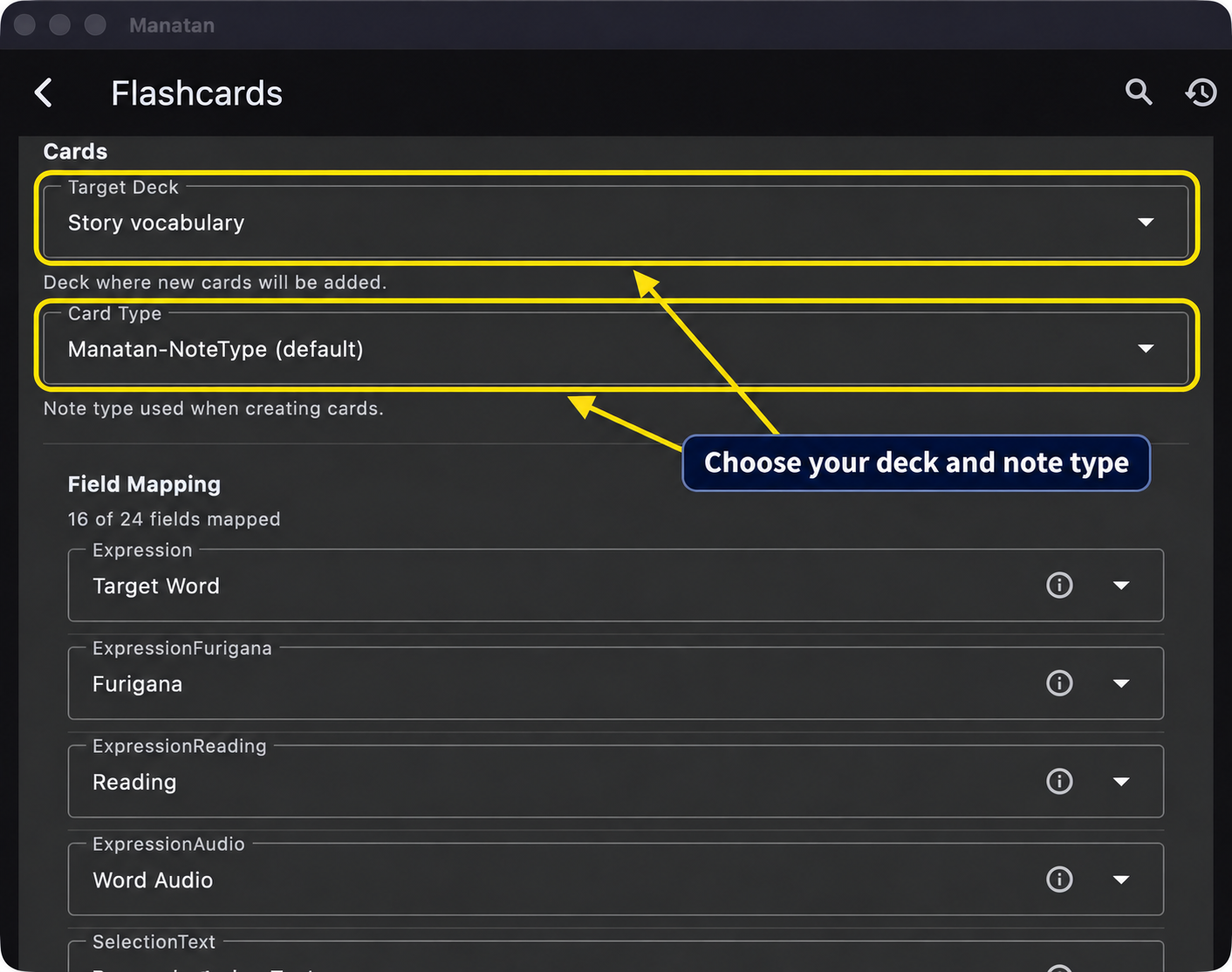
The expression, reading, dictionary definition, and source sentence serve different purposes. Audio and pictures depend on what the current source supplies. An empty optional media field does not necessarily mean the connection failed.
5. Send a word and check it in Anki
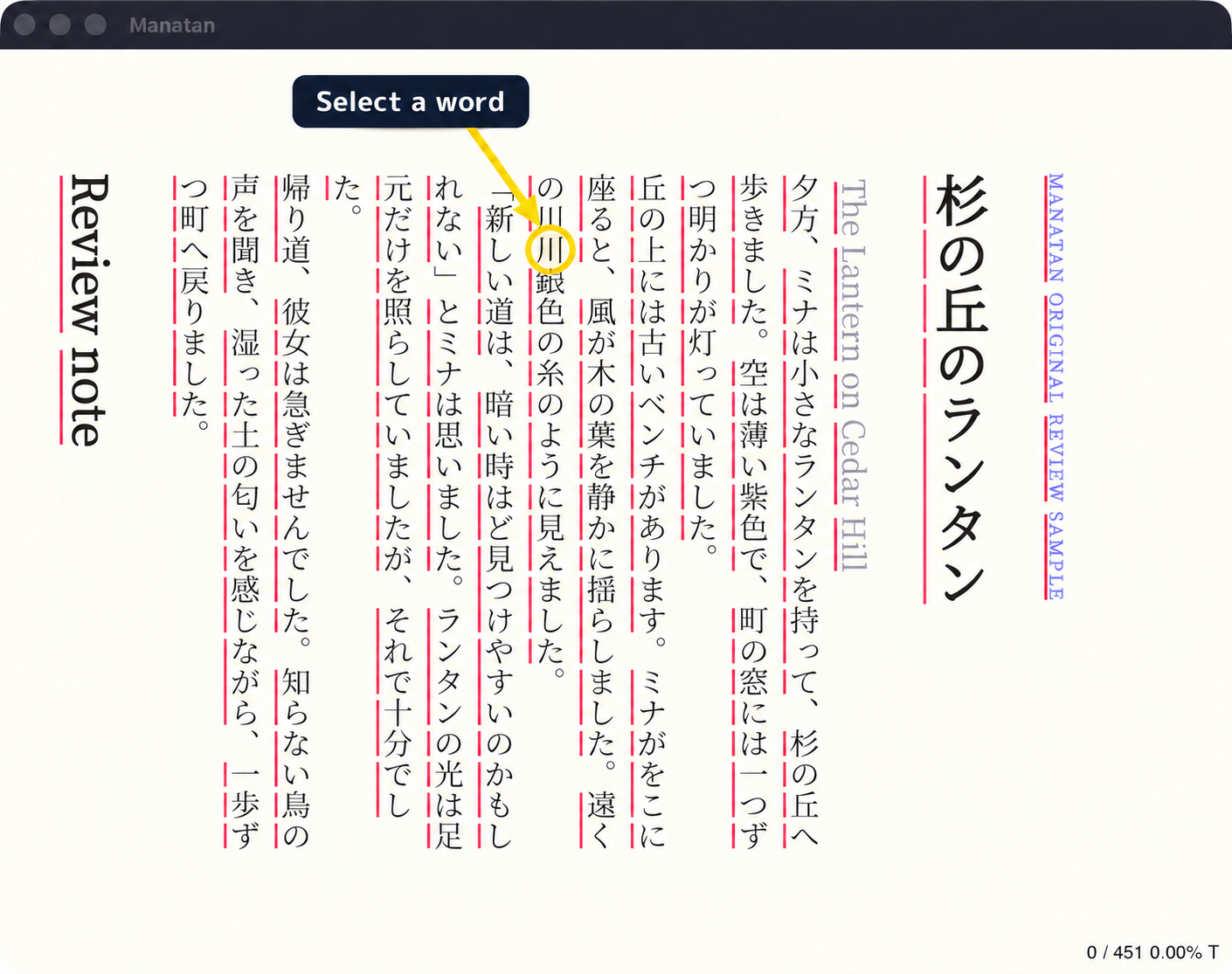
Open something you are authorized to read or watch, then select a word. This example looks up 川 in an original demonstration story using an imported JMdict dictionary. For dictionary setup, follow How to Import a Dictionary into Manatan.
In the dictionary popup, choose the green Add to Anki plus beside the entry you want.
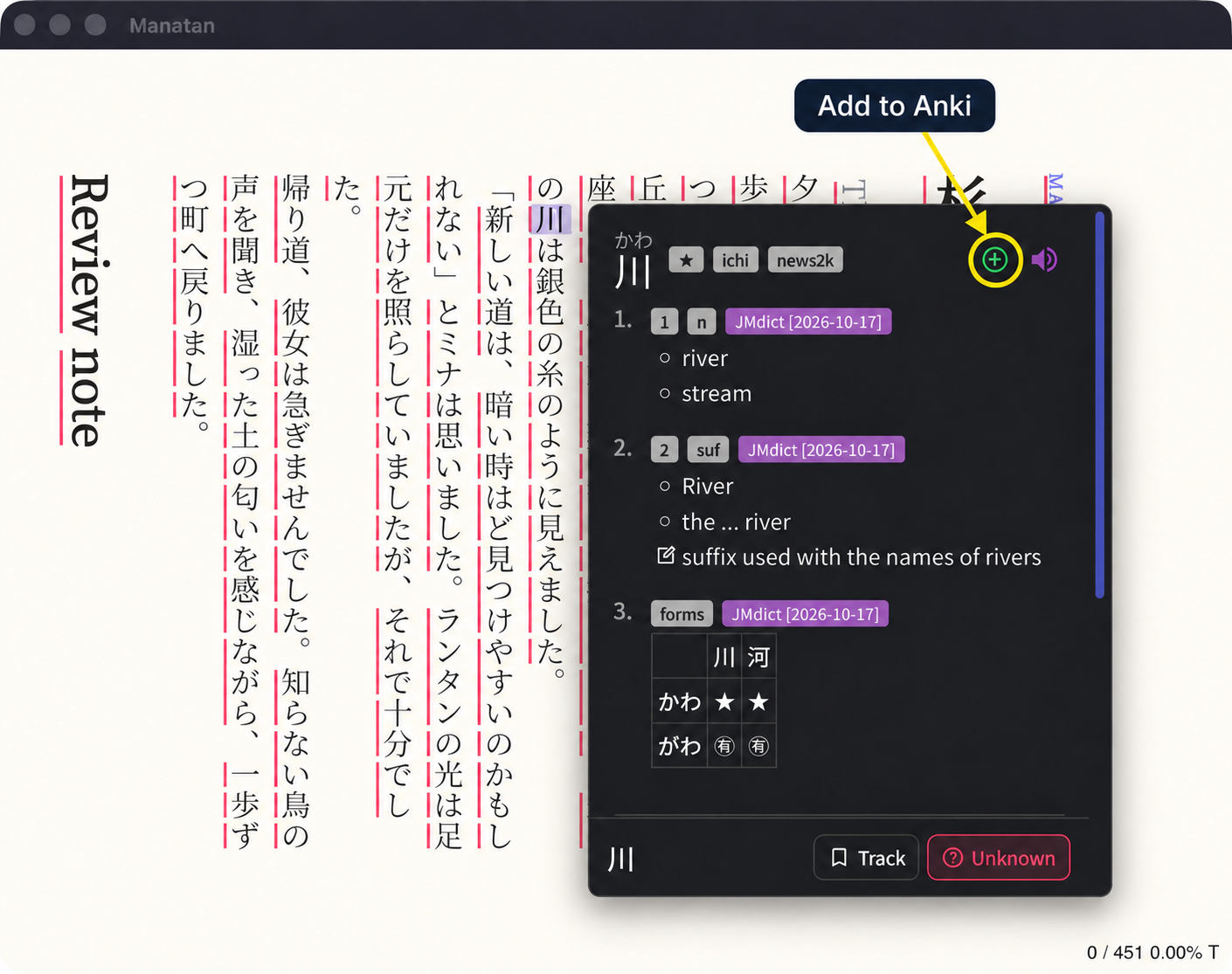
Press it once and wait. After this word is added, the control changes to Open in Anki. Avoid repeatedly pressing it while a request is in progress.
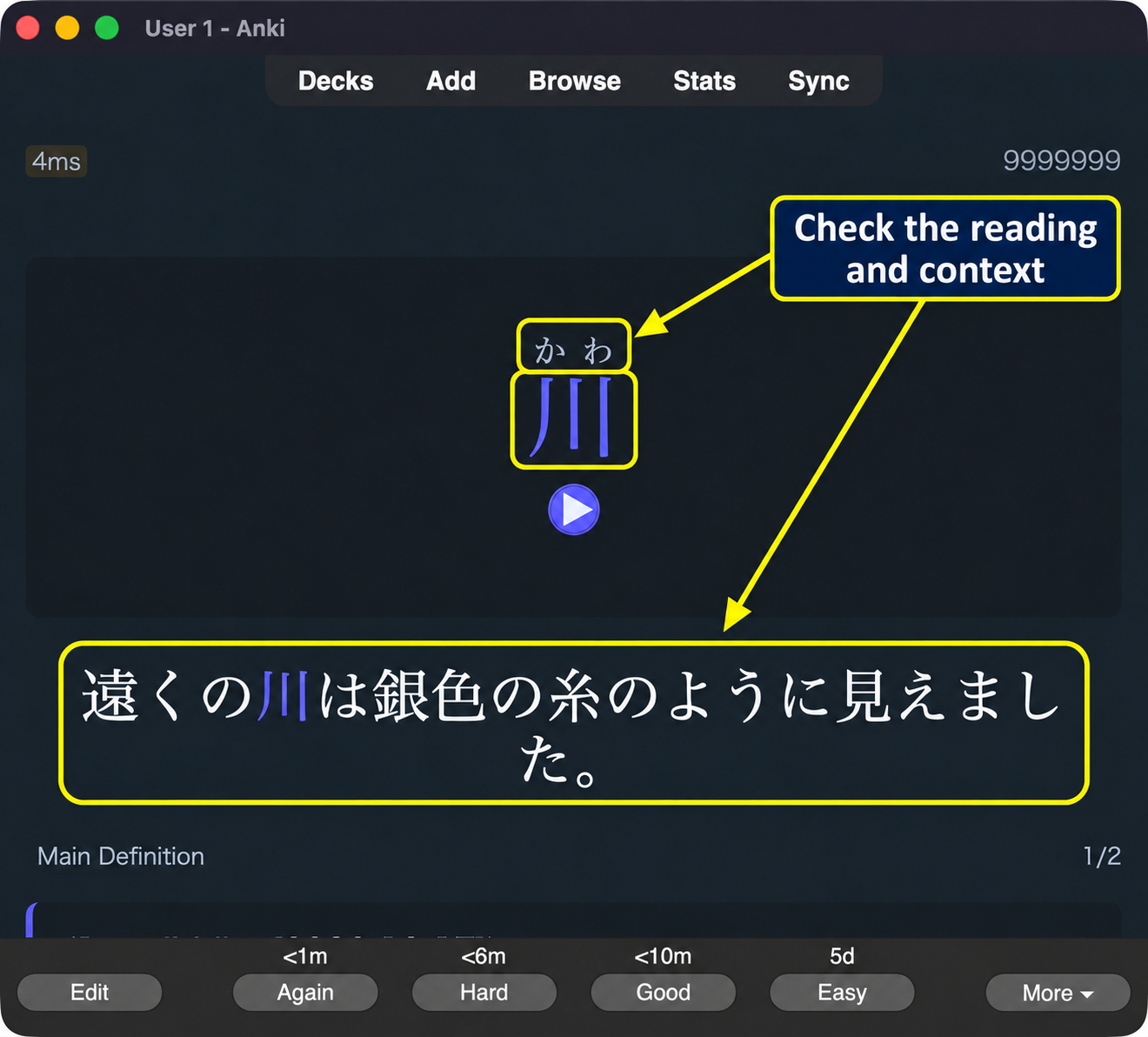
Check the card in Anki before mining a larger batch. You can use Browse and Preview, or open your target deck and choose Study Now to see the new card. Choose Show Answer to inspect its reading and context.
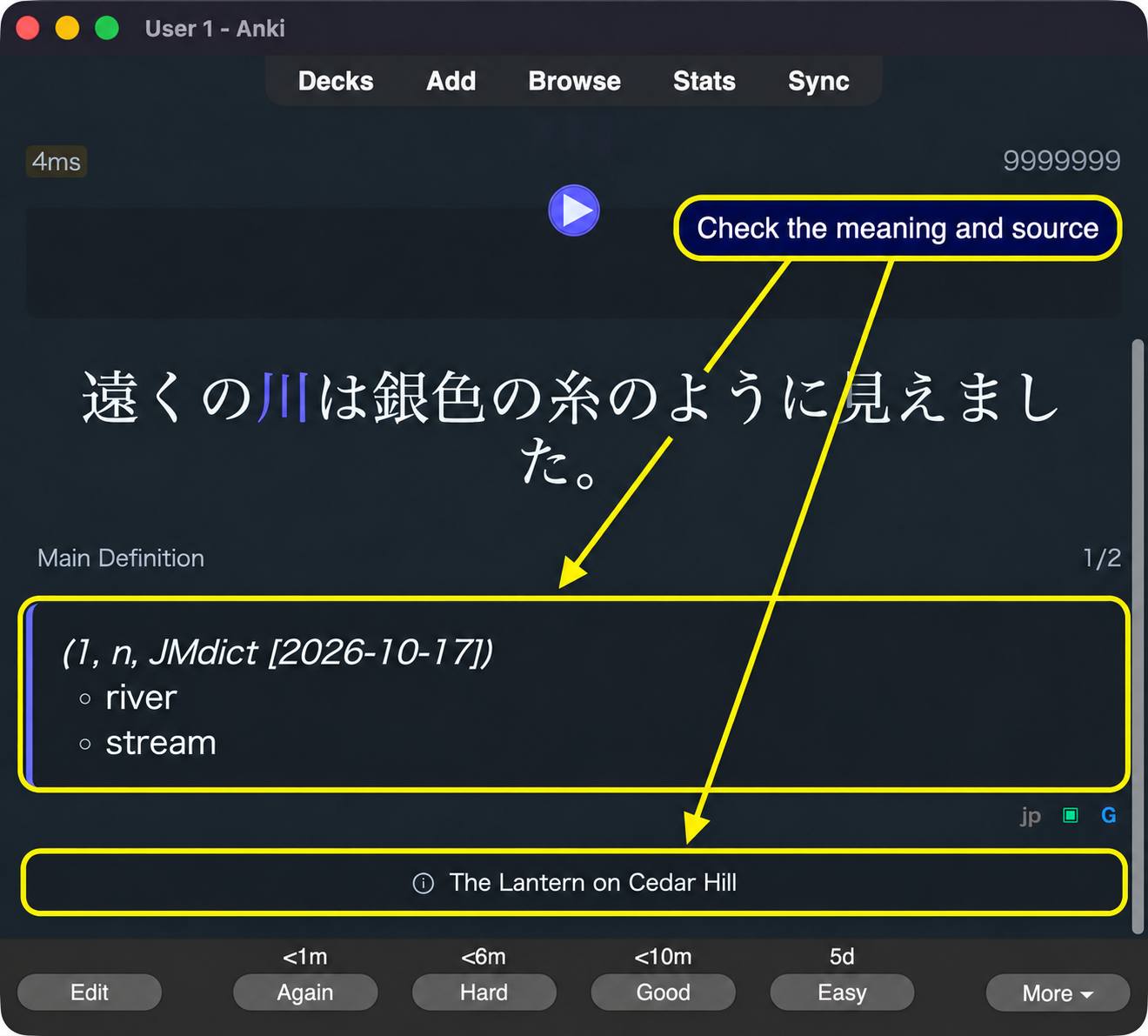
Scroll down if needed to check the definition. This card contains the JMdict meaning and the title of the original story. You do not need to press a rating button just to inspect it.
If the connection does not work
First check that Anki is running and was restarted after installing AnkiConnect. In Tools → Add-ons, confirm that AnkiConnect is enabled.
Check that Manatan's address matches AnkiConnect's configured port. Another local service can occupy the same port, so a responding address alone is not proof that you are sending to your intended Anki collection. Verify the first card in Anki.
Do not expose AnkiConnect to the public internet or disable security protections to make a local connection work. If a card already exists, check your duplicate settings instead of assuming nothing happened.
Once the first card looks right, return to your story. Save useful examples you want to remember, not every unknown word you encounter.