 Manatan
How to Find Japanese Content at Your Level With Manatan
Choose what to watch or read next. Use Manatan's catalog, available difficulty data, and your own vocabulary coverage to find a starting point that feels manageable.
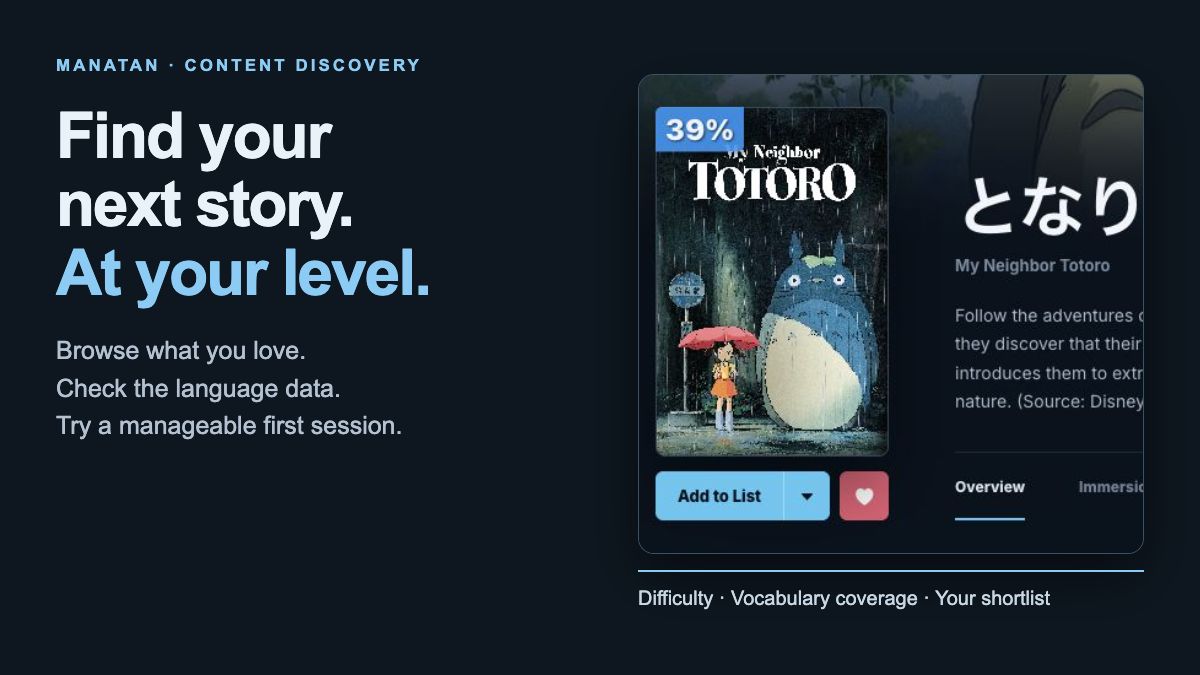
A favorite show can motivate you to learn Japanese. That does not mean it is the easiest place to start. Before committing to a whole series, choose something you want to try and check how much support you might need.
Manatan's website helps you browse titles, compare available language data, and keep a shortlist. This guide follows the desktop website. On a smaller screen, open the navigation menu first.
1. Choose what you want to watch or read
Open Manatan Browse. In Browse, choose Video, Manga, or Novel. This example uses Video.
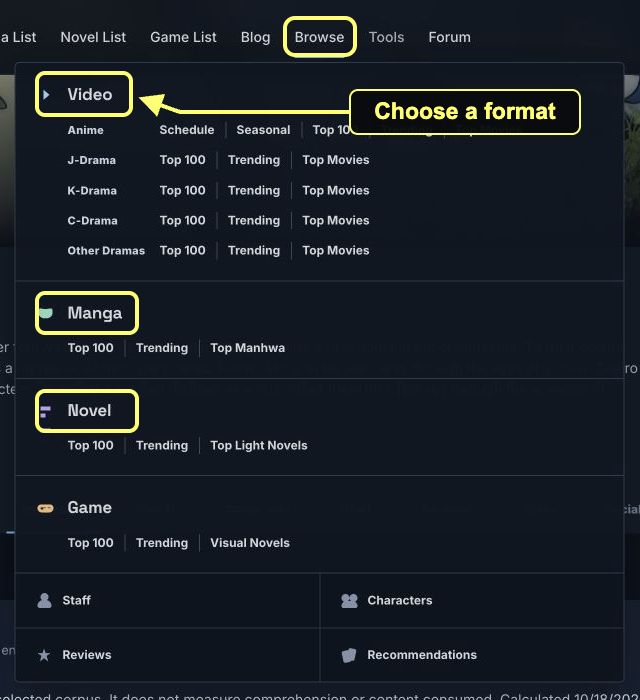
Start with a format and subject you actually enjoy. Use Search for a title you already have in mind, or Genres to narrow the catalog. You do not need to fill in every filter.
2. Look for titles with useful learning data
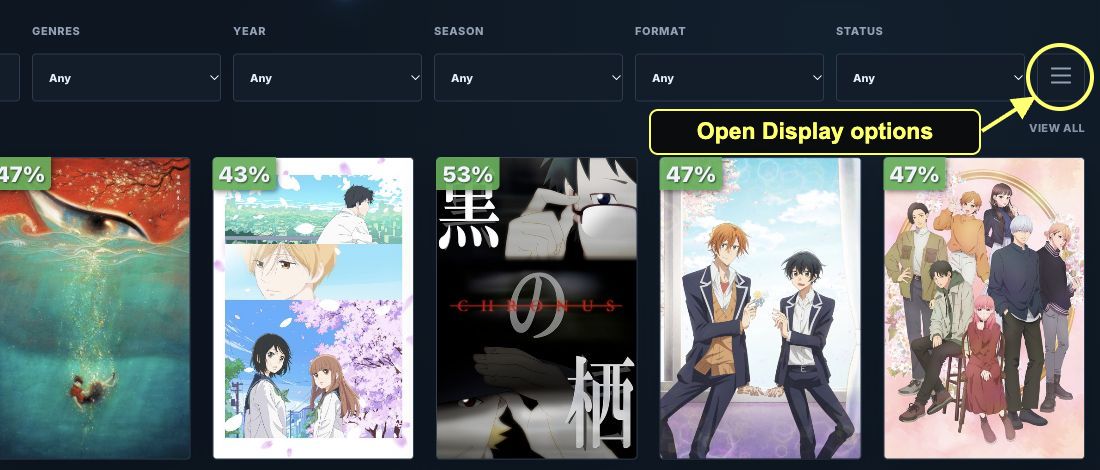
Open Display options, the three-line button beside the main filters.
In the expanded panel, set Learning data to Ready to prepare. This helps you find titles with analysis available rather than treating a missing score as an easy score.
For a short first attempt, try Immersion length → Under 2 hours. On Video, Country of origin → Japan can help narrow the catalog. Origin is a catalog filter, so still check the language of the version you plan to watch.
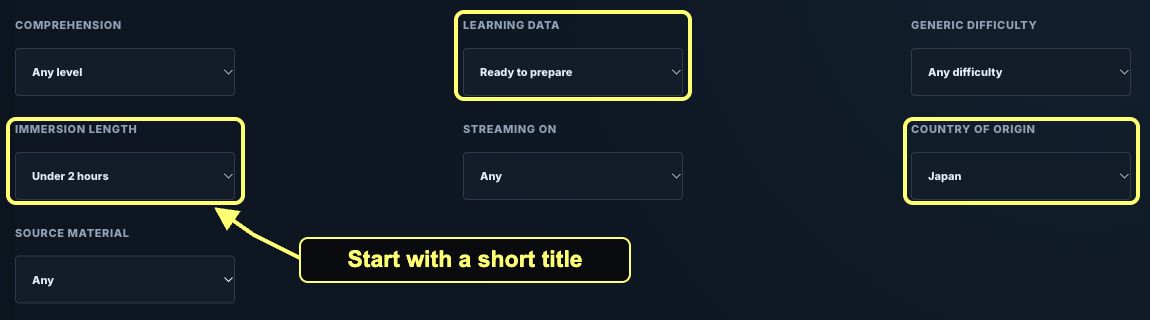
Use Generic difficulty to narrow the results further if you want. If too little appears, remove one restriction at a time. A title marked Needs data is not necessarily difficult; Manatan does not yet have the text or subtitles needed for that analysis.
3. Compare difficulty, not just popularity
Open a title that interests you and look at its Immersion details.
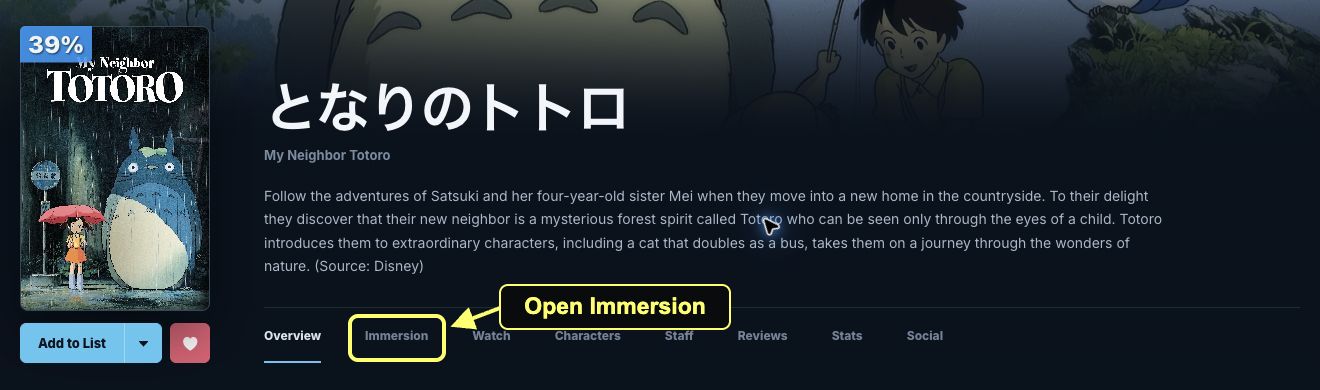
Text difficulty is an experimental score for the analyzed text. Higher means harder. It is not a JLPT level, and a lower number does not guarantee that the dialogue or writing will feel easy to you.
Also check the amount of material. An episode, a film, and a long series are different commitments. A whole-title speech duration is not the same thing as a film's runtime.

4. Check your own vocabulary coverage
Sign in to use personal coverage. If it is not calculated, follow Set up known words to Account → Vocabulary. That page supports SRS refreshes, imports, and word sets. Return to the title and use Refresh when needed.

Vocabulary coverage compares entries in the selected corpus with your saved vocabulary state. It includes known, imported, and ignored entries. It does not measure how much of the story you understand or how much you have watched.
Use it to compare candidates, not as a pass or fail test. Grammar, speech speed, unfamiliar voices, and background knowledge still matter. Your percentage will differ from the example shown here.
5. Keep a shortlist, then try one session
Use the title's list controls to open the editor. Choose Planning for something you want to try later, then save the entry. You can update its status when you start.
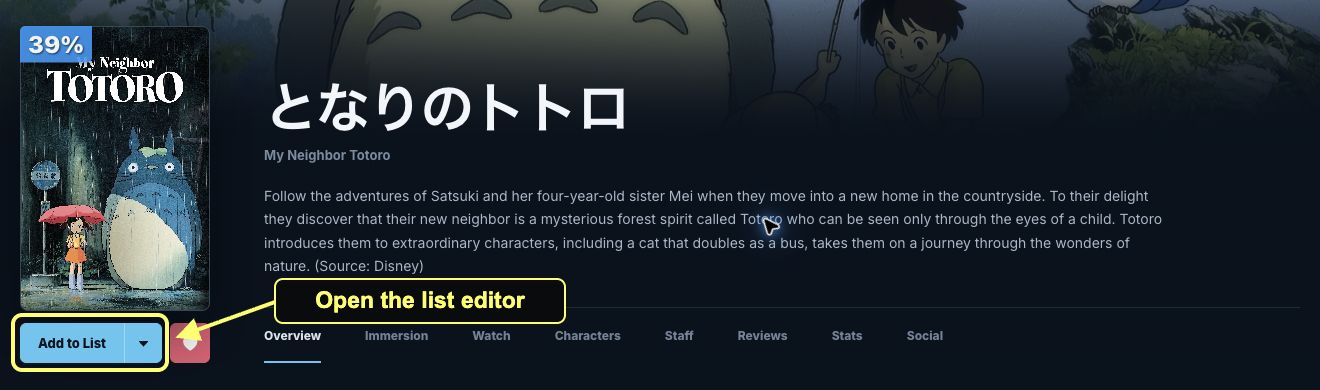
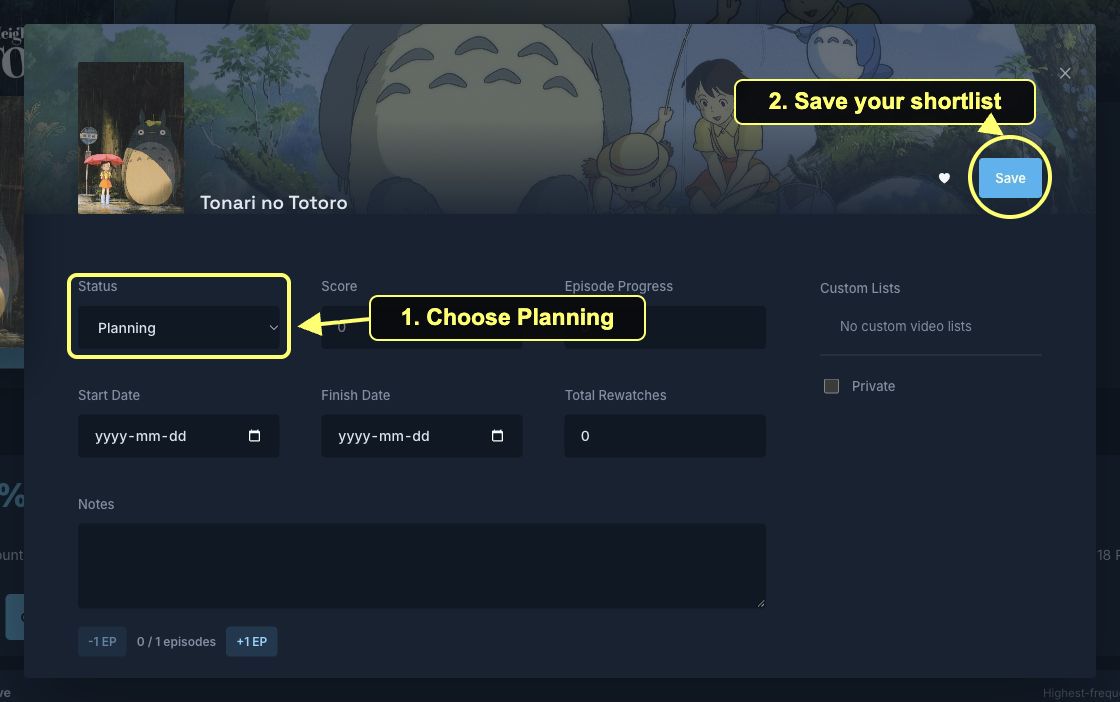
A catalog entry helps you discover and track a title. It does not give you a copy of the show or book. Use media you own or are authorized to access.
Try one scene or a few pages before deciding whether to continue. If you can follow the main events with occasional help, keep going. If every line becomes a research project, choose something shorter or more familiar and return later.
For the next step, follow the anime subtitle workflow, manga OCR guide, or EPUB reading guide. New to the app? Start with your first Manatan session.