Save words to your Anki deck
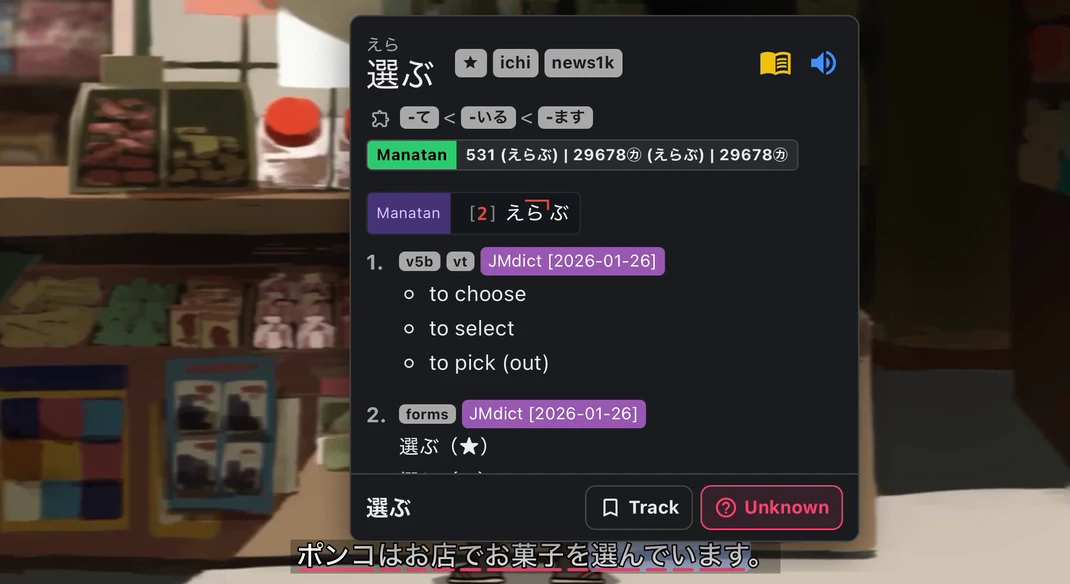
Look up a word in Manatan and send it to the deck you already study. Keep the original sentence, an image, and audio when the source supports them.
iPhone & iPad · Android · Desktop · Browser extension
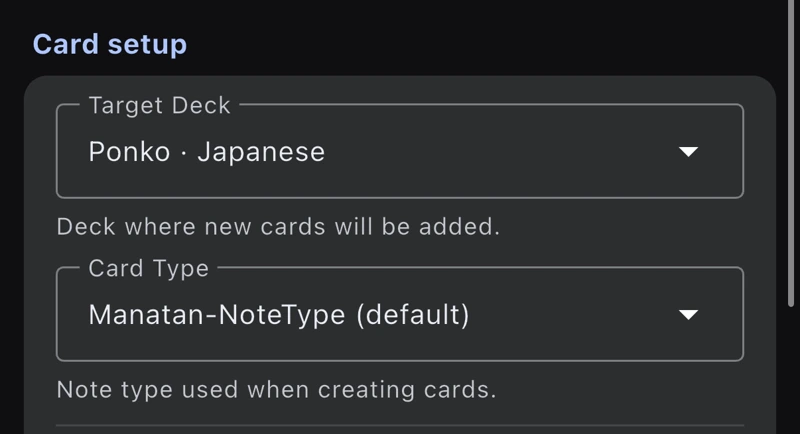
Choose a deck and note type
In Flashcards settings, select your Anki provider and the deck for new cards. Use the Manatan note type or map the word, sentence, image, and audio to fields in your own template.
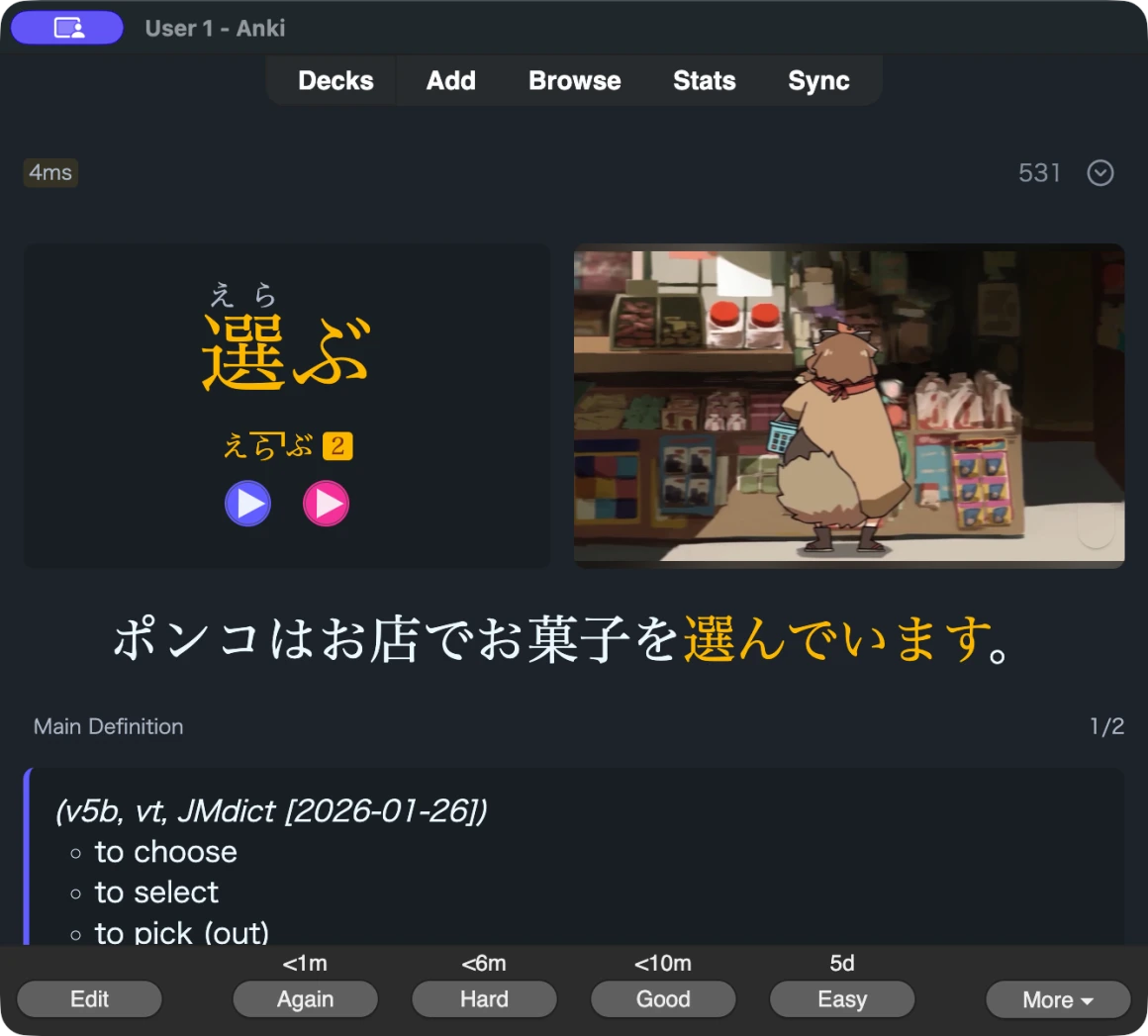
Review the card in Anki
This card for 選ぶ includes the original Japanese subtitle and a still from the scene. Use the play button on the card to hear the line again.
Connect Manatan to Anki
Desktop & browser extension
Install AnkiConnect and keep Anki open. Choose AnkiConnect in the desktop app or Anki in the extension, then select your deck and note type.
Get AnkiConnectiPhone & iPad
Install AnkiMobile and select it as your provider in Flashcards settings. Manatan opens AnkiMobile to add the card.
Get AnkiMobileAndroid
Install AnkiDroid, select it as your provider, and allow Manatan to add cards when prompted.
Get AnkiDroid
Requirements
- Dictionary data
- Import compatible dictionaries first. Readings, pronunciation, frequency and pitch information depend on the dictionary and language.
- Media fields
- Image and audio capture depend on the source, platform, and fields in your Anki note type.