 Manatan
How to Learn Japanese With Podcasts in Manatan
Find a Japanese podcast, add it to your library, replay what you missed, and download an episode. Follow the whole workflow with annotated screenshots.
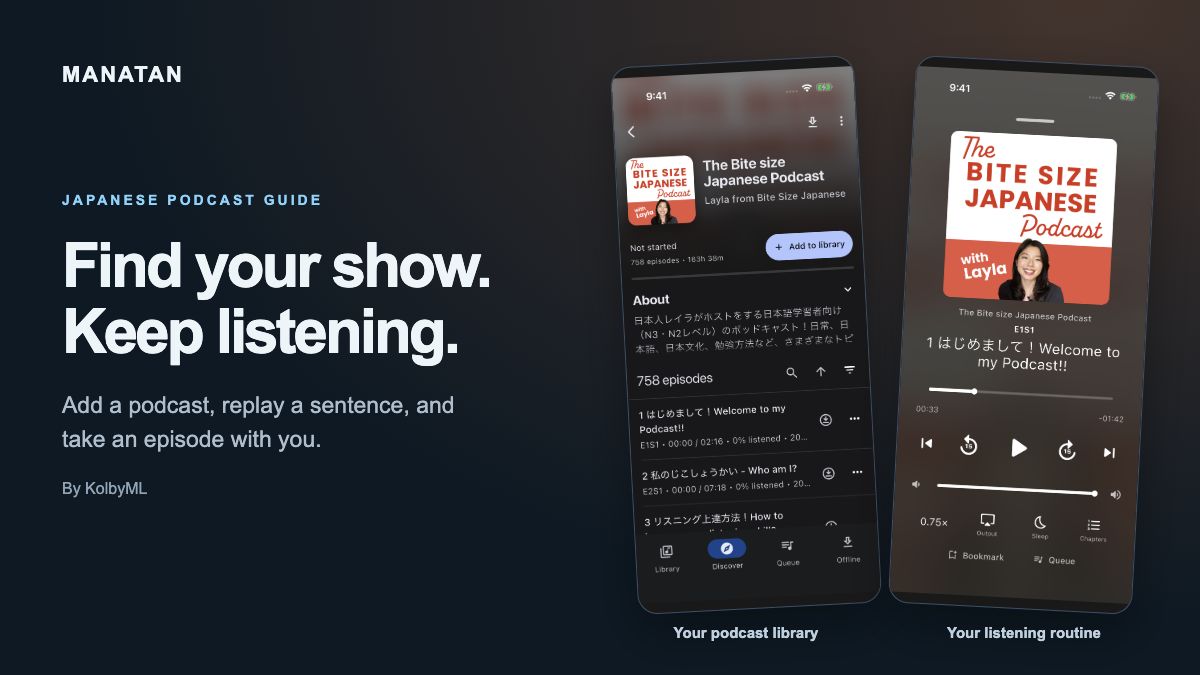
A podcast gives you something to return to: a familiar voice, a topic you care about, and another chance to understand a little more.
This guide shows how to find a show in Manatan, start listening, replay a short section, and download an episode for later.
Before you start
Have Manatan installed and an internet connection for searching and downloading. The screenshots use an iPhone and The Bite size Japanese Podcast by Layla from Bite Size Japanese. It is a real show used here as an example. Choose a podcast that interests you and feels manageable to follow.
1. Open Podcasts
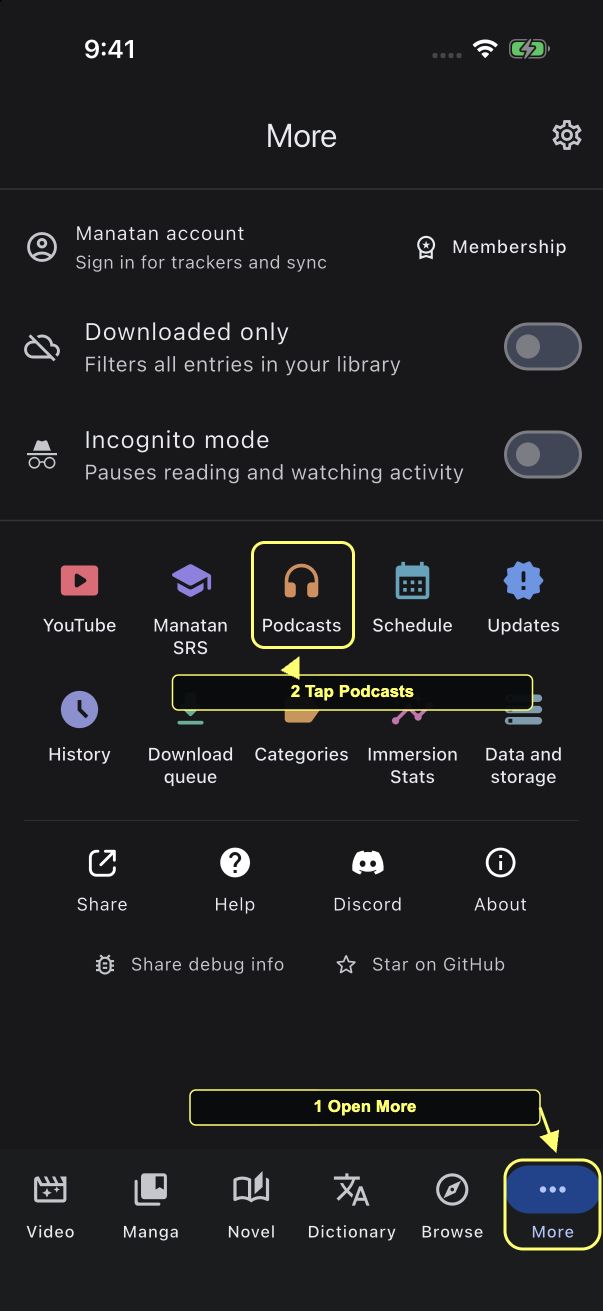
Open More in the bottom navigation, then tap Podcasts.
2. Find a show and add it to your library
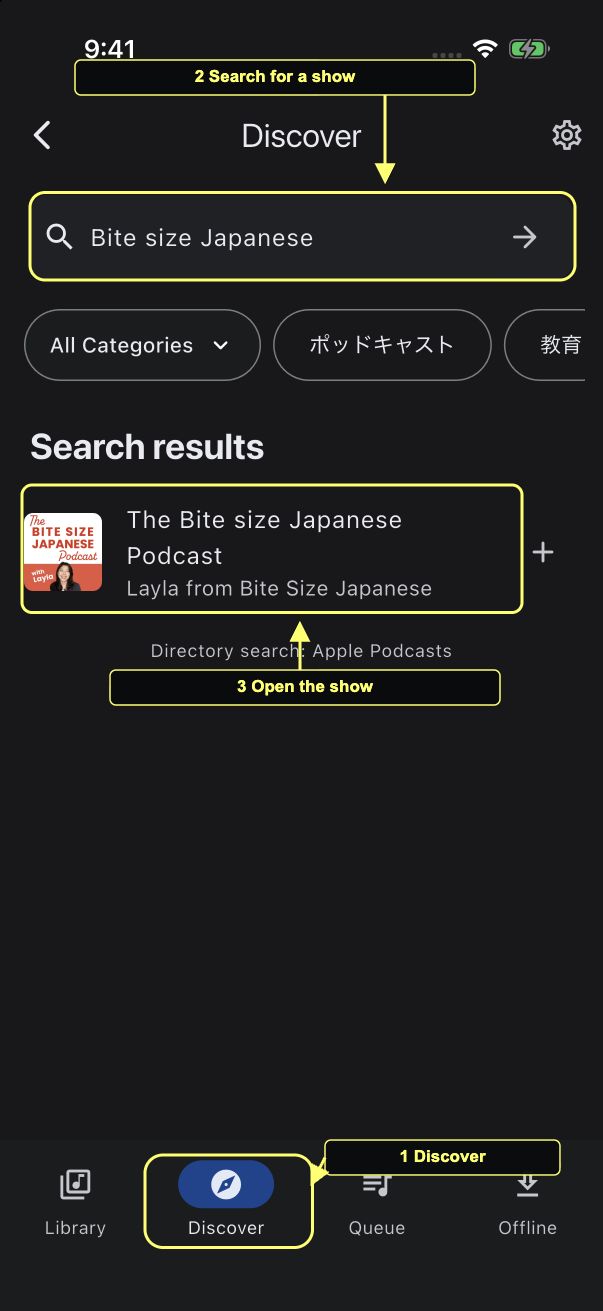
Open Discover. Enter a show name in Search or add RSS URL, then tap the arrow to search. Here, we searched for Bite size Japanese. Tap the matching show's title or cover to open it.
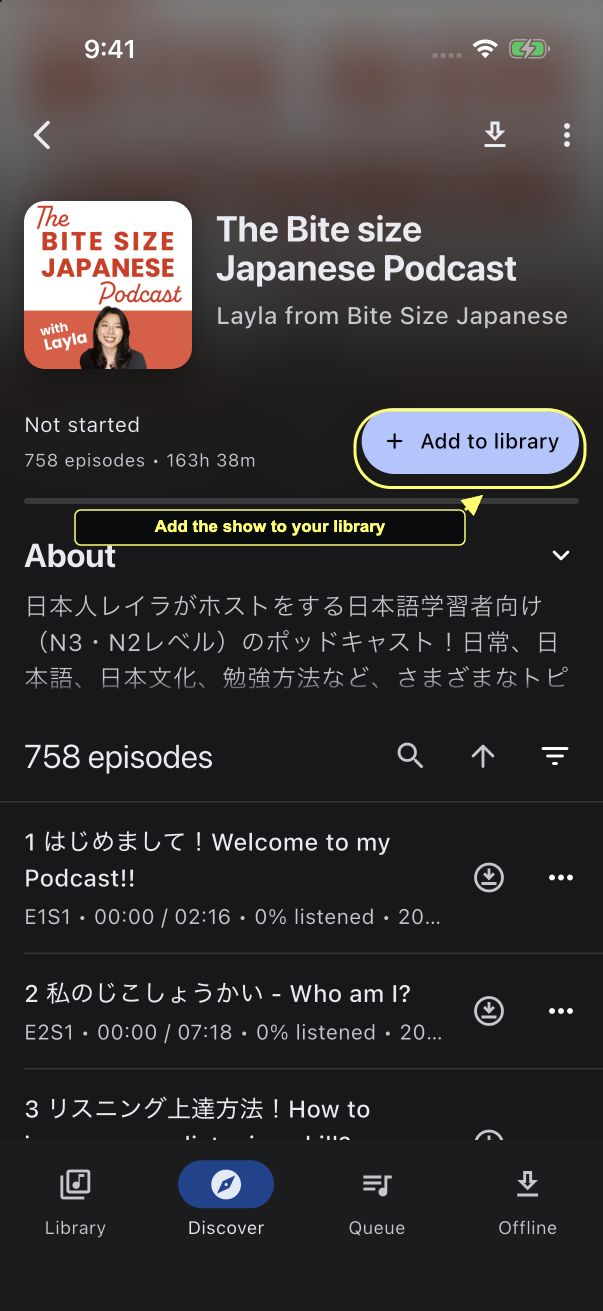
On the show page, tap Add to library. It changes to In your library, and you can find the show again from the Library tab. Episode counts and artwork may change as the publisher updates the feed.
3. Play an episode and replay what you missed
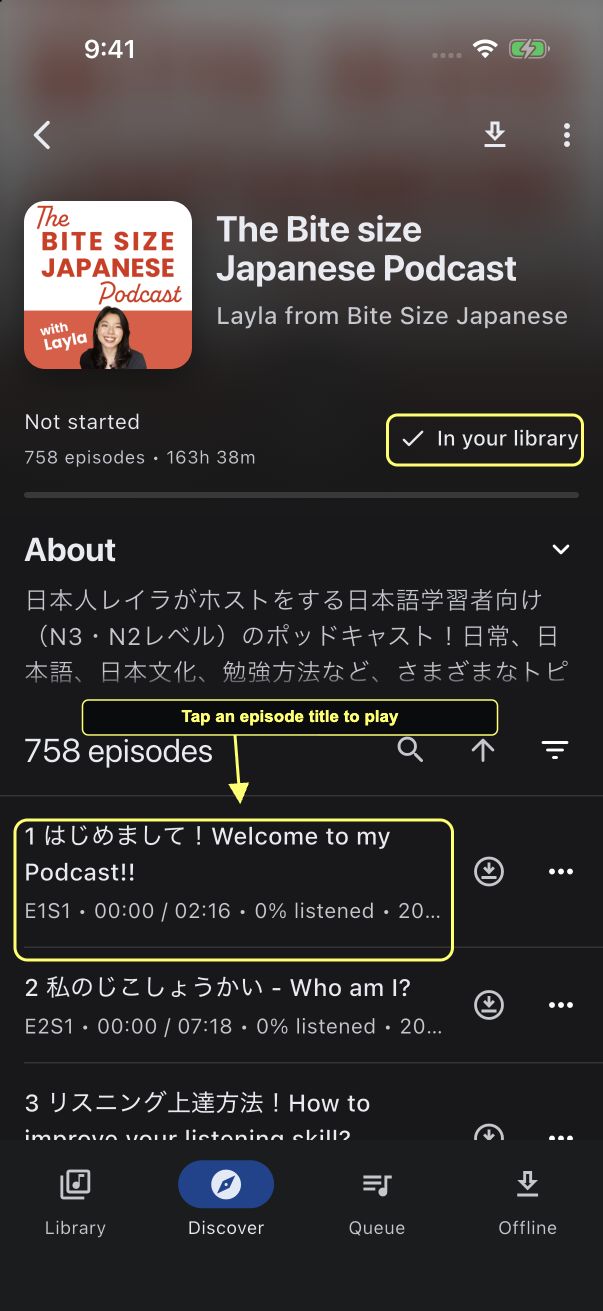
Tap an episode title to start playback. This example uses the short introductory episode, 1 はじめまして!Welcome to my Podcast!! You can choose a different episode without starting the whole series from the beginning.
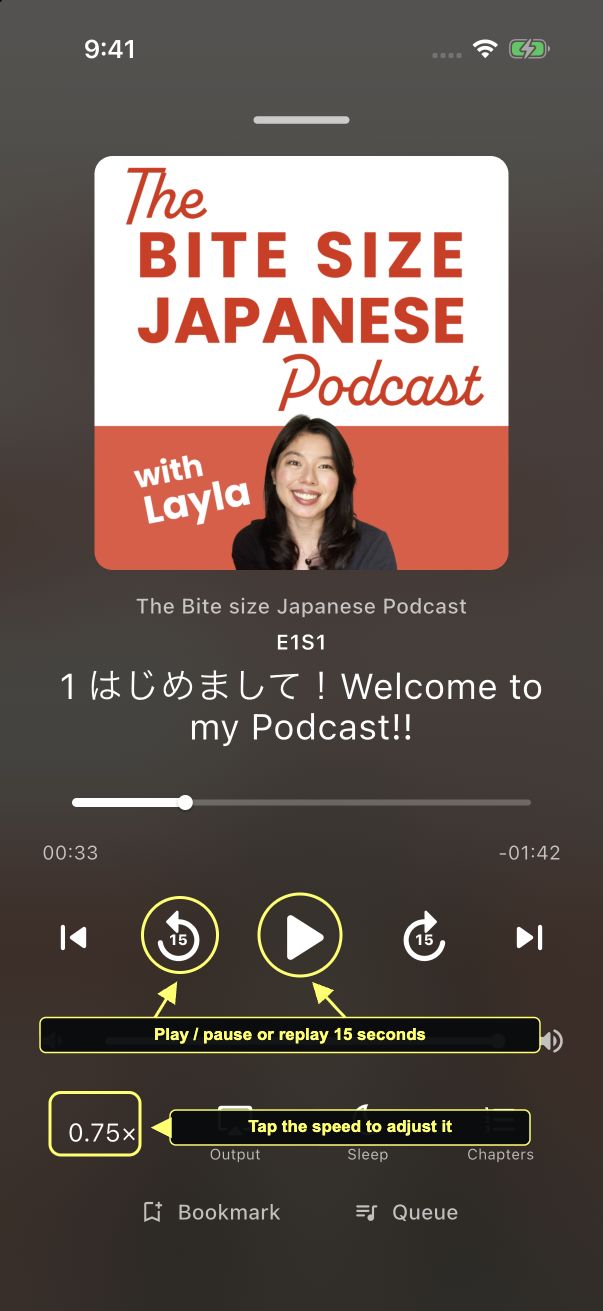
Use the large play or pause button in the player. If you miss a phrase, tap Back 15 seconds and listen again. Swipe down from the handle at the top of the player when you want to return to the show page.
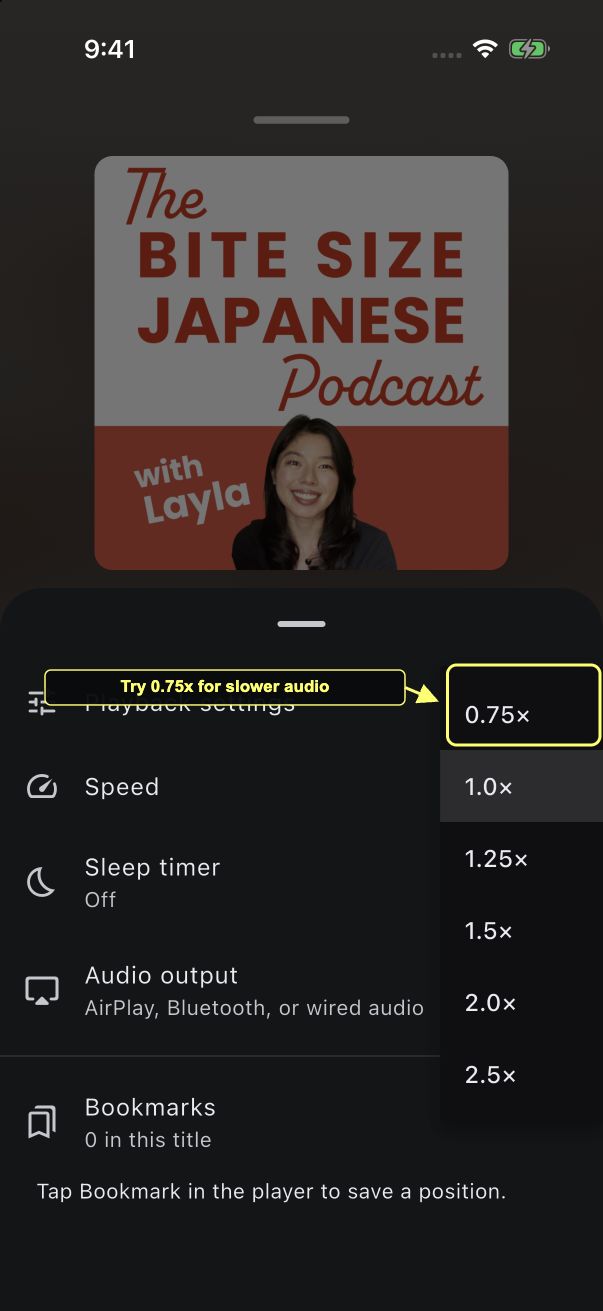
For slower audio, tap the playback speed near the bottom left of the player. In Playback settings, tap Speed, then choose 0.75×. You can return to 1.0× whenever you want.
Try listening once for the general topic before replaying individual phrases. You do not have to catch every word on the first pass.
4. Download an episode for later
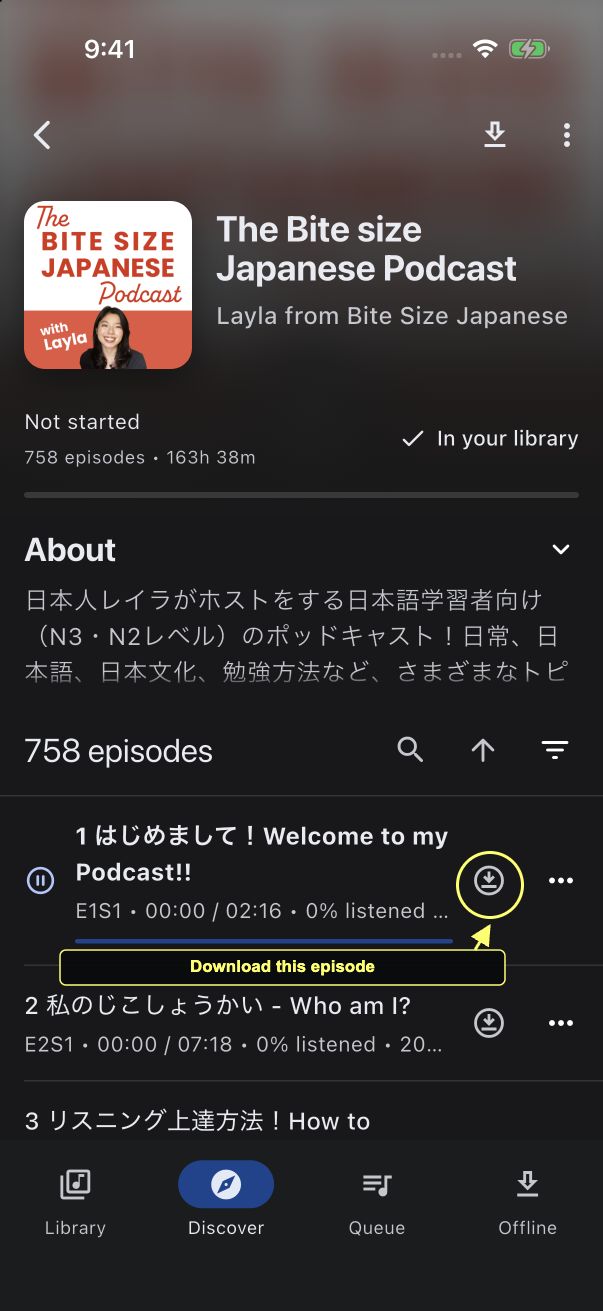
On the show page, tap the download arrow beside the episode you want. This downloads that episode, rather than using the bulk download control at the top of the page.
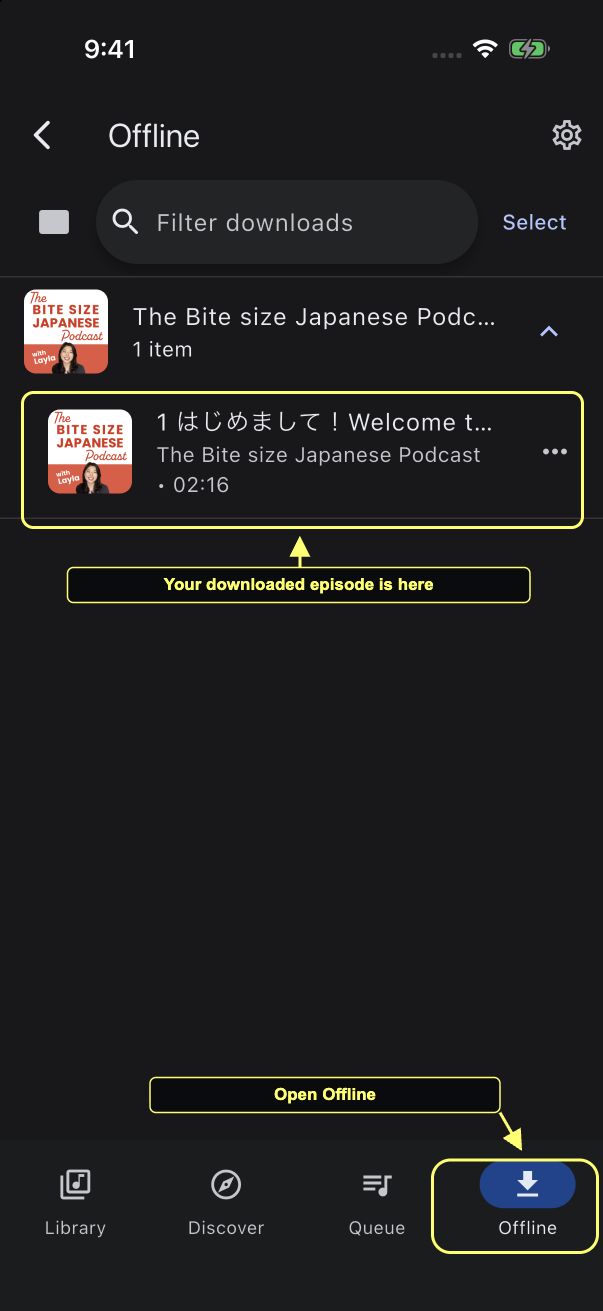
Open Offline to find the downloaded file. If episodes are grouped by show, tap the show's name to expand it. Wait for your episode to appear here before relying on the download away from an internet connection.
5. Pick up where you left off
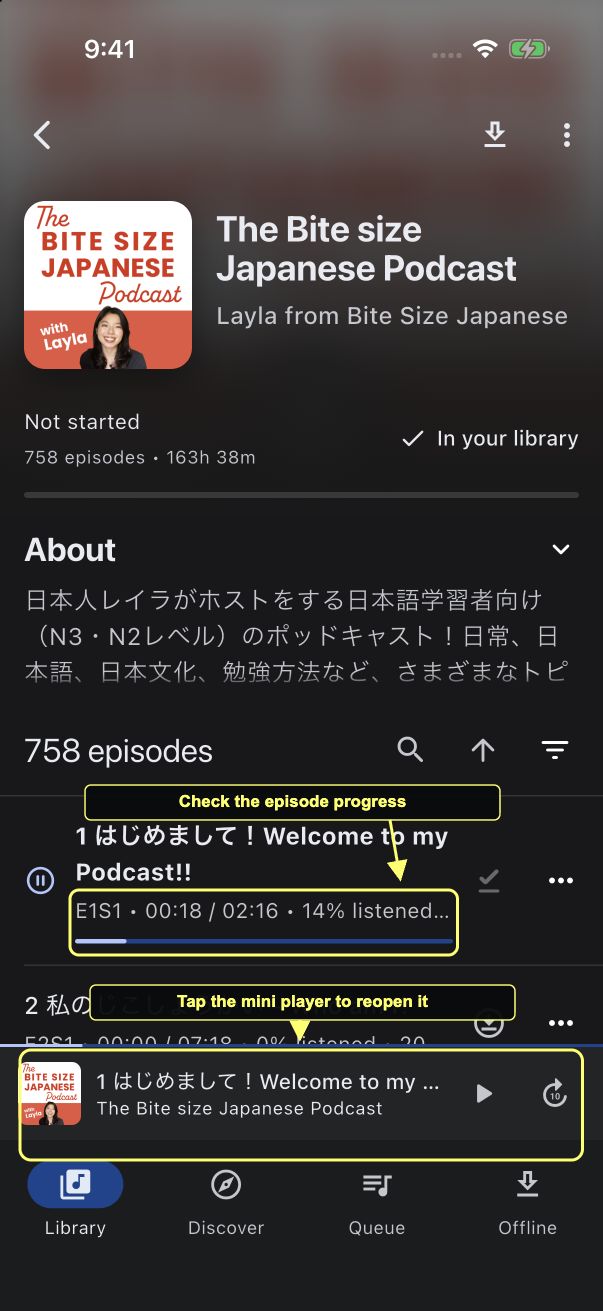
Back on the show page, the individual episode shows your listening time and percentage. In this example, it shows 00:18 / 02:16 and 14% listened.
After you close the full player, tap the mini player above the bottom navigation to reopen it. Your saved position lets you continue without searching for the same moment again.
Keep the routine small
Start with one episode you want to hear. Listen for the main idea, replay a short section when it helps, and return to the same voice over a few sessions. A routine you enjoy is easier to keep than a queue you feel obliged to finish.
Prefer something you can read along with? Try the anime subtitle workflow or read a Japanese EPUB with a popup dictionary.