 Manatan
How to Catch Up on Japanese Vocabulary Reviews Without Burning Out
Pause new cards, work through existing reviews honestly, and leave room for Japanese you enjoy. Follow a manageable catch-up routine in Manatan SRS on iPhone.
You miss a few days, open your vocabulary deck, and see more reviews than you want to face. Adding another batch of words will not make that queue smaller.
Start by pausing new introductions, then make room for a review session you can actually return to. You do not need to clear everything in one sitting or restart the collection.
This walkthrough uses Manatan SRS in the iPhone app. If you have not set it up yet, follow saving words and reviewing with Manatan SRS. The screenshots show a small demonstration deck, not a large overdue collection or a target workload.
1. Read the counts before changing anything
Open More, then Manatan SRS. On Decks, look at the three columns:
- New: cards available to introduce that you have not studied yet.
- Learn: cards currently ready for a learning or relearning step.
- Due: review cards ready now, including cards due today and overdue cards.
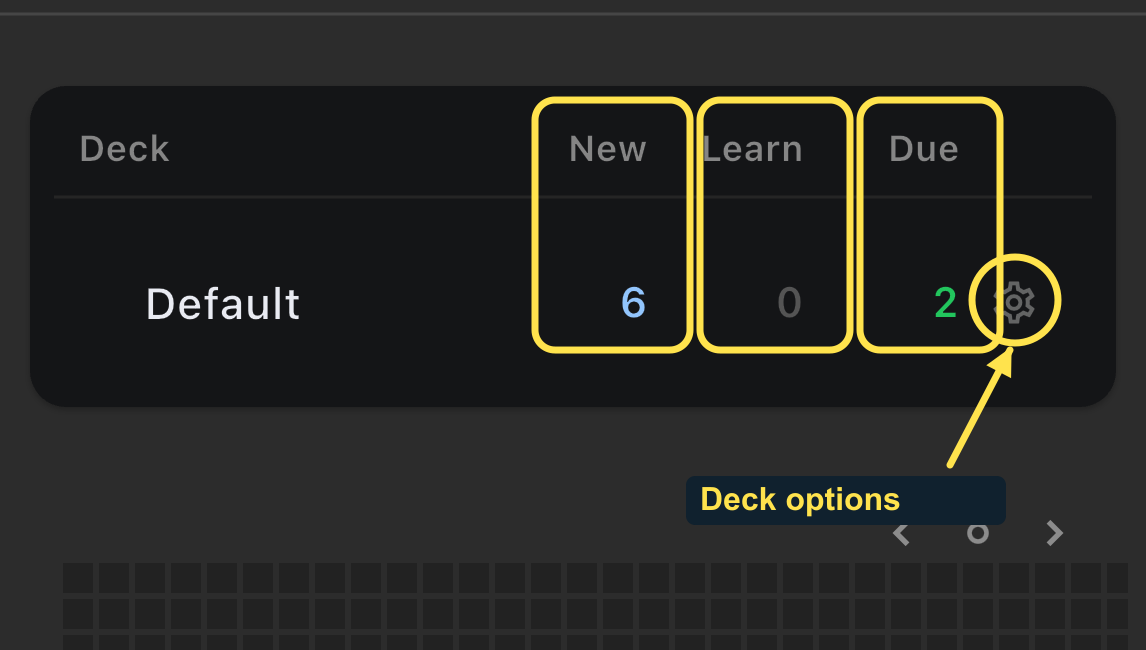
These are not three measures of how much you have forgotten. Daily limits affect the displayed New and Due counts, and learning cards can become ready later. A zero does not necessarily mean every card in the collection is finished forever.
2. Pause new cards for now
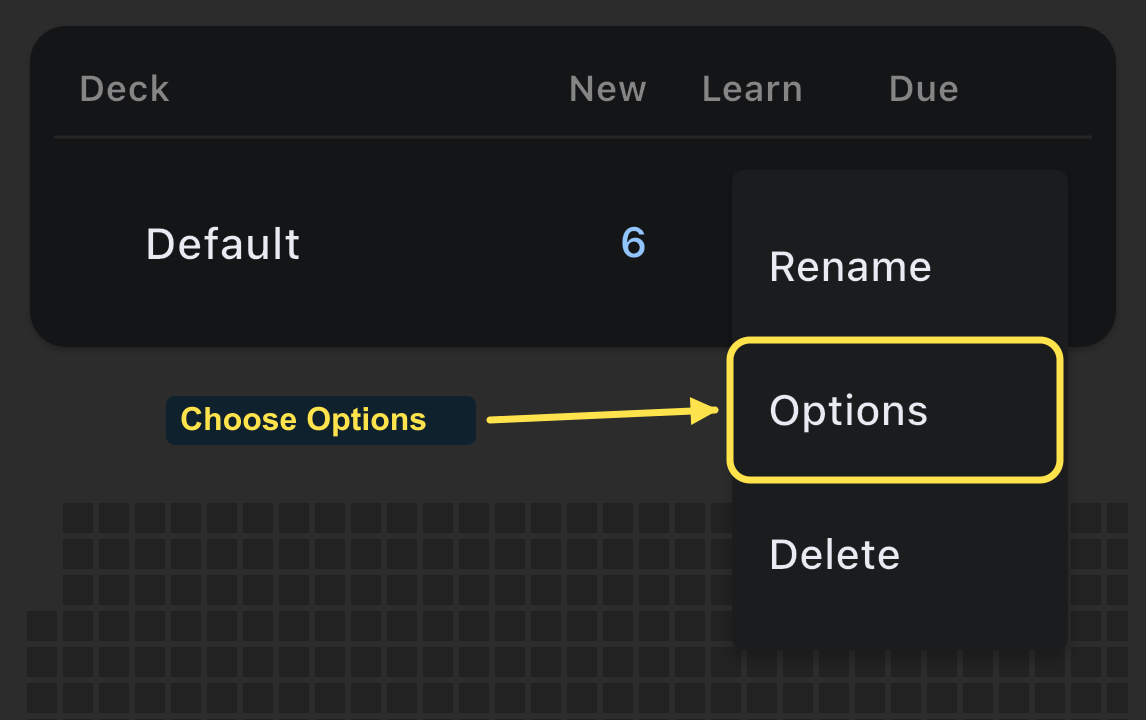
Tap the gear beside the deck, then choose Options. Use the deck's gear, not the general preferences gear in the top bar.
Under Daily Limits, set New cards/day to 0, then tap Save at the top right.
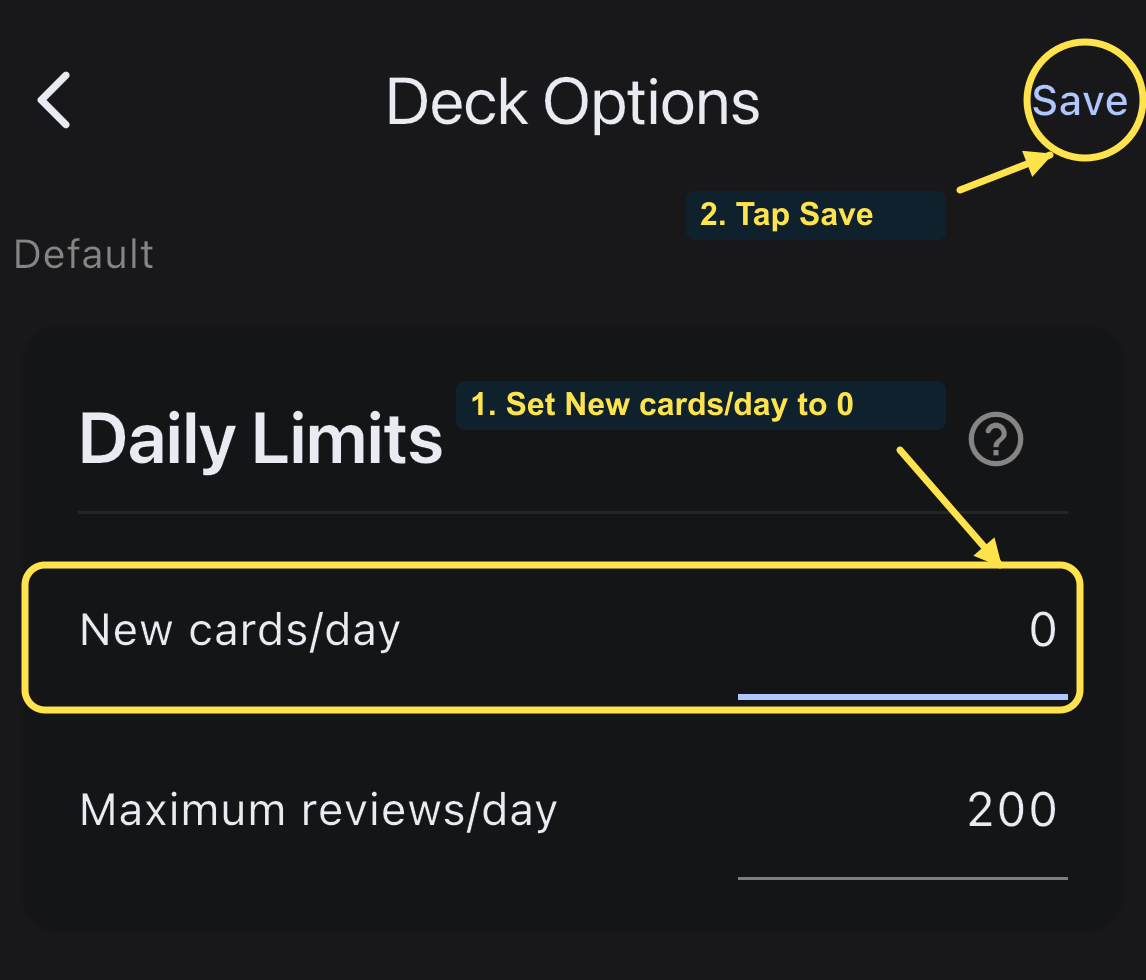
This pauses introductions of unseen cards. It does not delete them, erase review history, or stop cards already in learning from returning. Repeat the change for other decks you plan to study if they are also introducing new cards.
The Maximum reviews/day value of 200 in this screenshot is the demo deck's existing setting, not a recommendation. Reducing a review limit restricts what is offered; it does not make overdue cards learned. Leave learning steps and other scheduling settings alone for this routine.
Already using Anki instead? Its official deck-options manual also recommends stopping new introductions when you have an overdue backlog. Change the setting in the system where you actually review.
3. Start with existing reviews
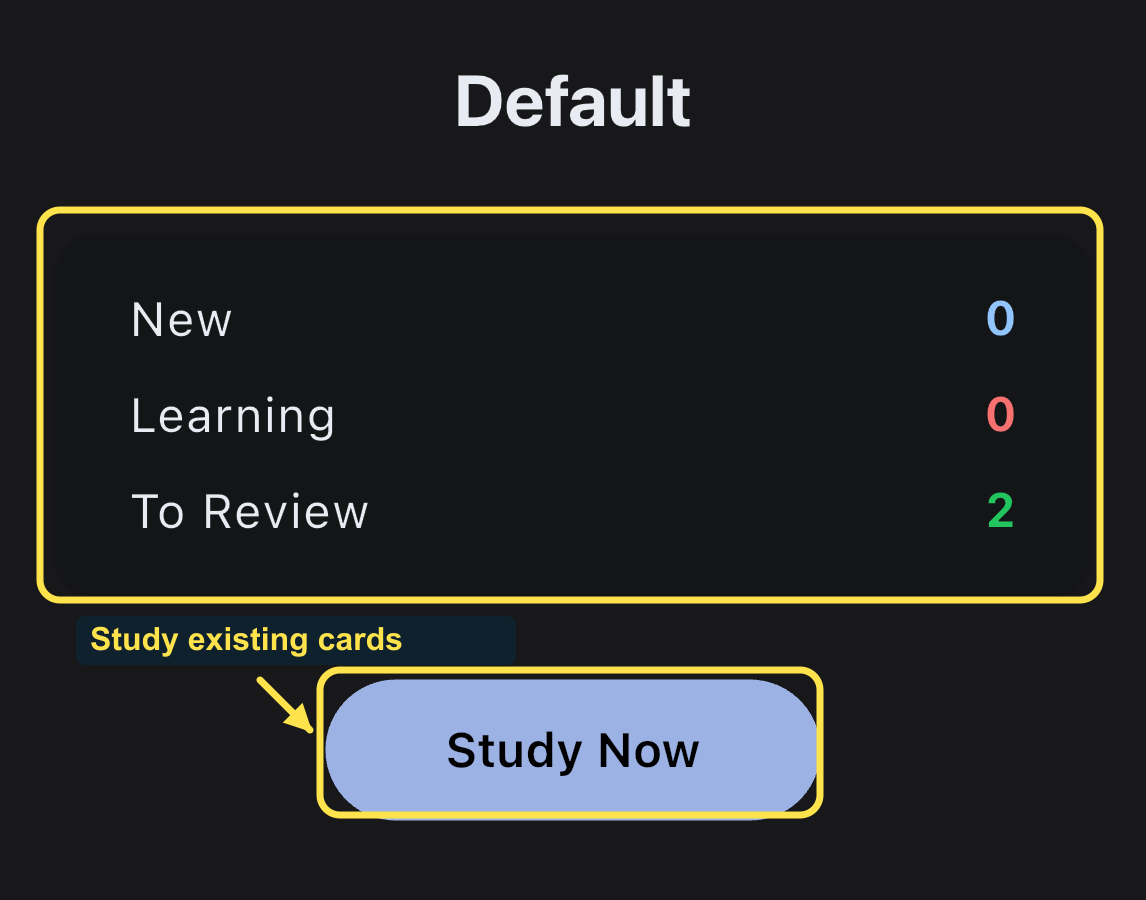
Return to Decks, tap your deck name, and choose Study Now. In this example, saving the zero-new limit changed New from 6 to 0 while leaving 2 cards available to review.
Choose a short block of time that fits today. Stop when your attention is no longer useful, rather than rushing through answers to make the count disappear. A smaller careful session is a reasonable way to restart.
You may see some cards again during learning. Answering one card is not a guarantee that the remaining count will drop permanently by one.
4. Recall before revealing, then grade honestly
Try the reading and meaning before revealing the answer. On the iPhone reviewer shown here, tap the card to reveal it. The example question is ランタン, meaning lantern.
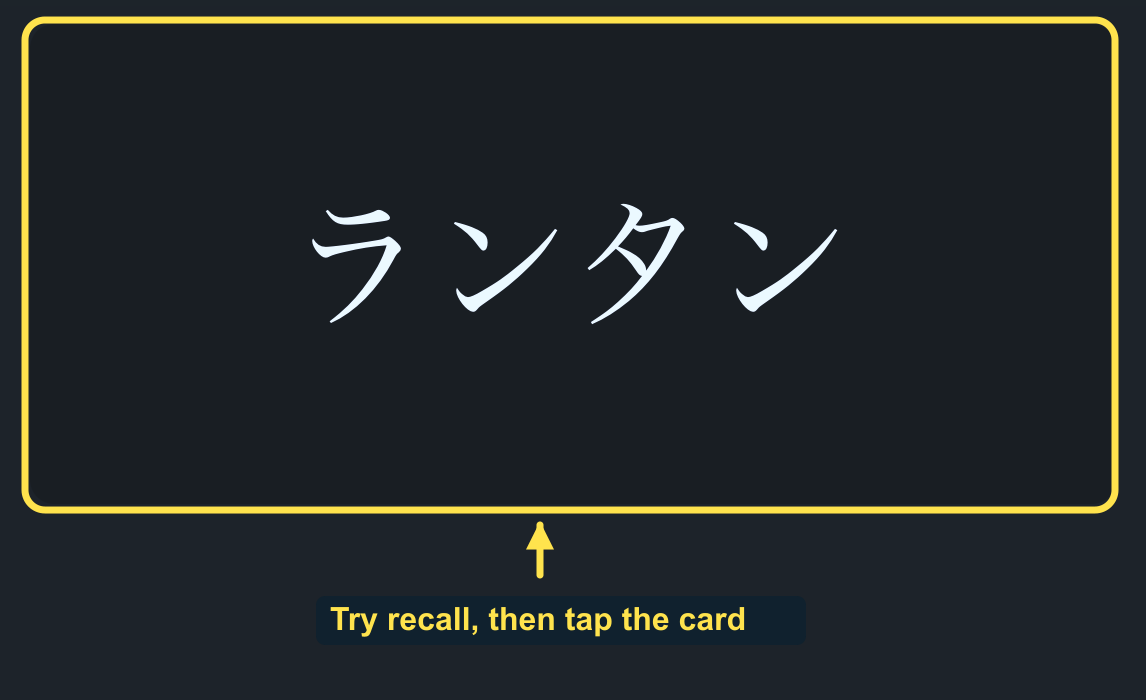
After revealing, compare the answer with what you recalled. Choose Pass when you recalled what the card asks for, or Fail when you did not. Recognizing the answer after it appears is not the same as recalling it beforehand.
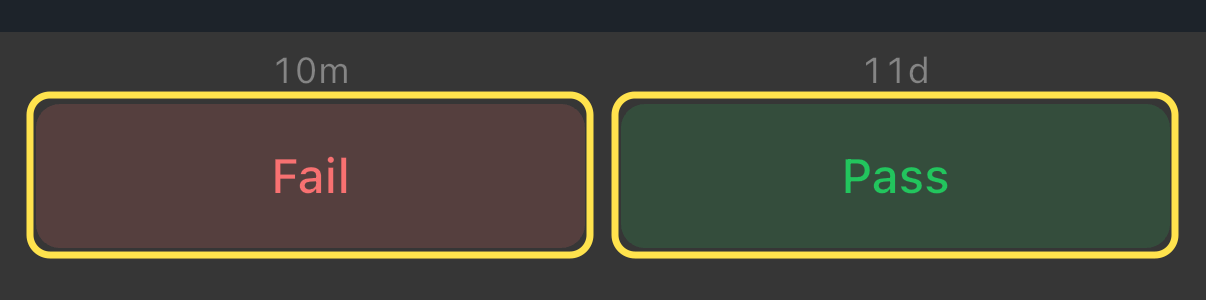
The intervals above the buttons are predictions for this card in this demonstration. Yours can differ. Do not choose Pass just to avoid seeing a card again soon.
If the same card keeps confusing you, return to its original sentence. Check whether you understand the meaning in context and whether the example is clear. A confusing fragment needs attention, not repeated guessing. Our sentence-mining guide explains how to choose clearer examples.
5. Make tomorrow manageable
Keep new introductions paused while you rebuild a review routine. Once existing reviews fit comfortably, return to the same New cards/day field and choose a smaller intake you can sustain. There is no universal daily number, and you do not need to restore the previous value immediately.
Avoid resetting the whole collection just to remove an intimidating number. Continue from the cards you have, and adjust the workload deliberately.
Leave some time for reading or listening without saving more words. The useful outcome is remembering more Japanese and returning tomorrow, not keeping the review screen at zero all day.