Progress tracking
Keep a list of what you want to watch or read, and see how much time you spend with the language.
iPhone & iPad · Android · Desktop · Website

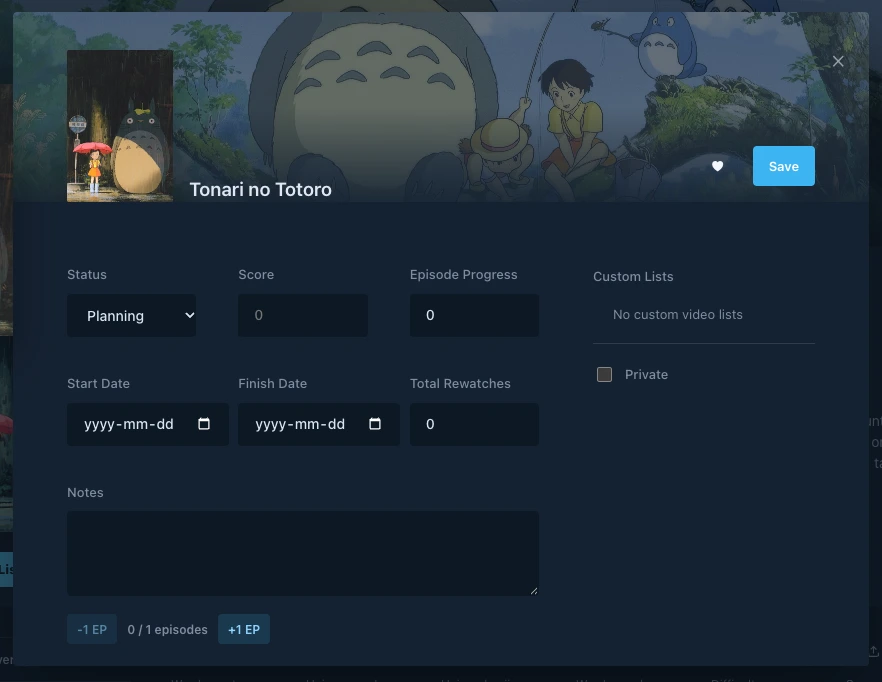
Save a title and mark it watched
On a title page, choose Add to List and save it as Planning. When you finish watching, open the status menu and choose Set as Complete. You can update titles and episode or chapter progress from your lists too.
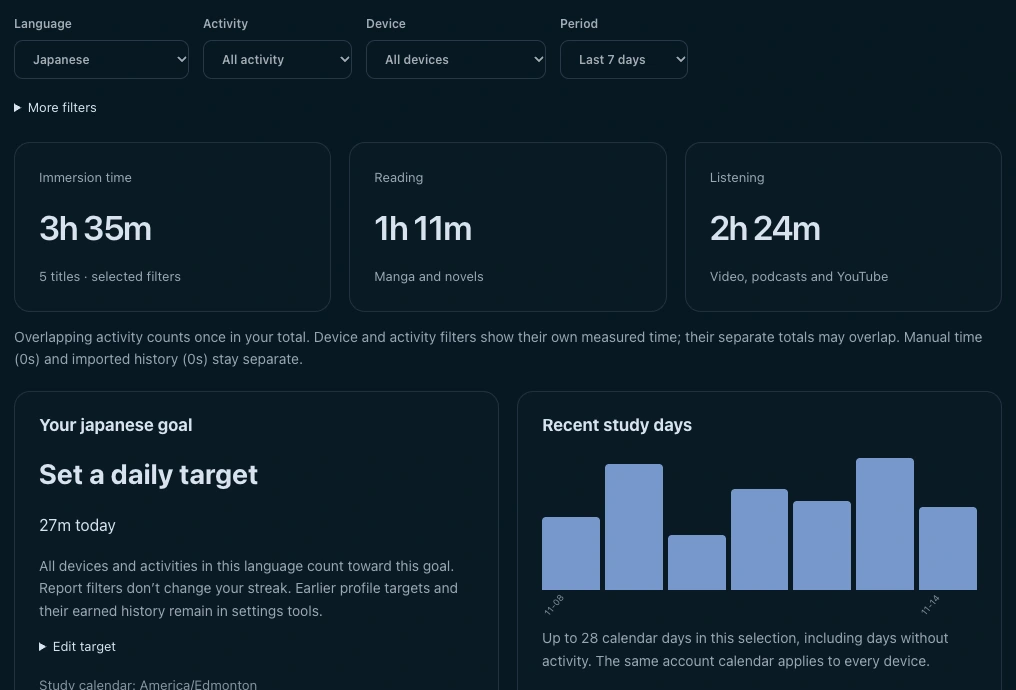
See your week of immersion
Open your profile’s Immersion tab and set Period to Last 7 days. See daily study time alongside your reading and listening totals. Use the Activity filter to focus on one kind of activity.
Start tracking your progress
Sign in across devices
Use the same Manatan account on the devices where you watch, read, and listen.
Start your list
Find something you want to finish and add it to your list.
Browse the catalogOpen your profile
Choose Immersion to see activity synced by the Manatan app or browser extension.
Requirements
- Account
- Sign in to save lists and view synced activity on your profile.
- Measured activity
- The daily chart uses synced activity from supported readers and players. List status is saved separately.