 Manatan
How to Practice Japanese Listening Without Relying on Subtitles
Listen first, pause to check the Japanese, then replay. Set up a short listening routine in Manatan on iPhone without giving up useful subtitle support.
You can follow a Japanese video with subtitles, but lose the thread when you stop reading. Try giving your ears a short first attempt before checking the text.
This is not a reason to abandon subtitles. They help you check unfamiliar words and untangle what you heard. The change is the order: listen, check, listen again.
Here is a simple routine using Manatan on iPhone. You will need a video with a Japanese subtitle track. Our YouTube guide covers finding a video and opening it in the app.
1. Set up the subtitle panel
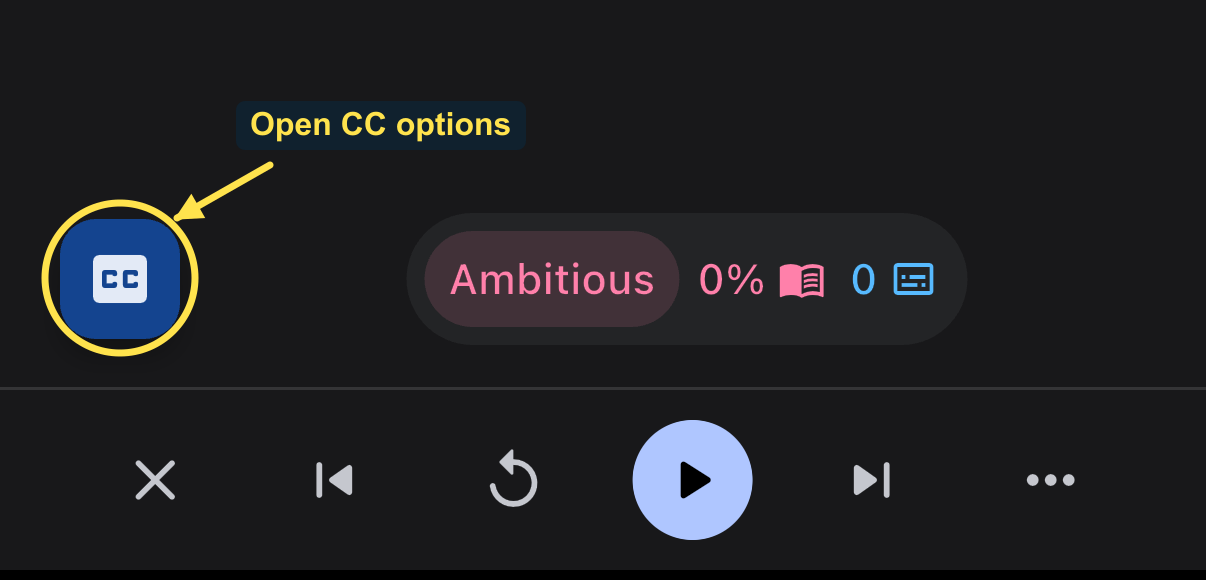
Open your video, pause it, and tap Manatan's blue CC button near the bottom left. This opens Video options. It is separate from any CC control inside the YouTube picture.
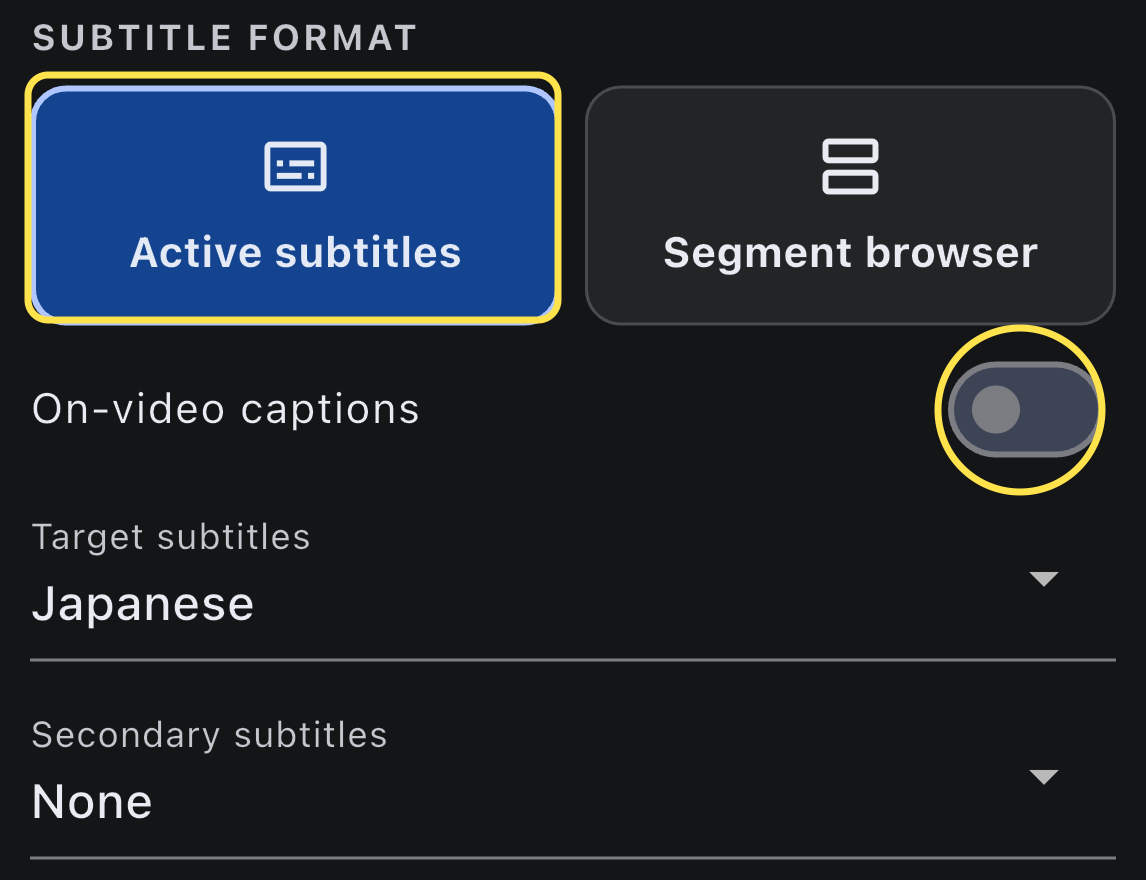
Choose Active subtitles so the panel shows the current line instead of a list of surrounding lines. Set Target subtitles to Japanese and Secondary subtitles to None for this exercise. Turn On-video captions off too.
These options cannot erase text that a creator has baked into the video. If Japanese or translated captions remain in the picture, look away during your first listen, or choose another video. Keep the app open so you can pause and check it afterwards.
2. Choose Show on Pause
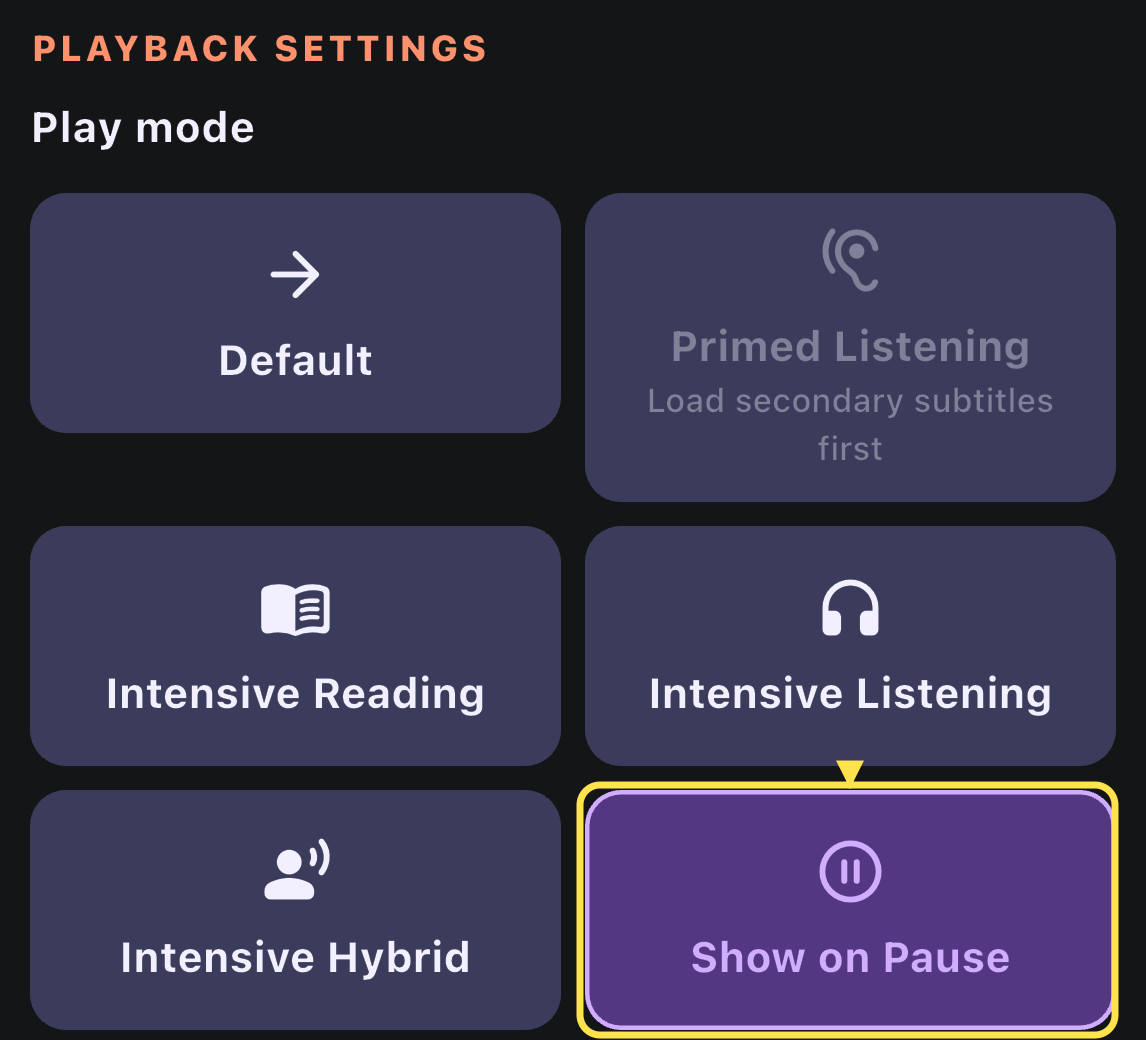
Scroll down within Video options to Playback settings, then choose Show on Pause under Play mode. Dismiss the sheet by swiping it down.
This mode hides the subtitle panel's text while playback runs and reveals the current line when you pause. It does not automatically pause after each sentence, so you decide how much to hear before checking.
3. Listen to a short passage first
Press Play and listen to a phrase or short sentence. Try to catch the situation and a few words, rather than transcribing every sound perfectly.
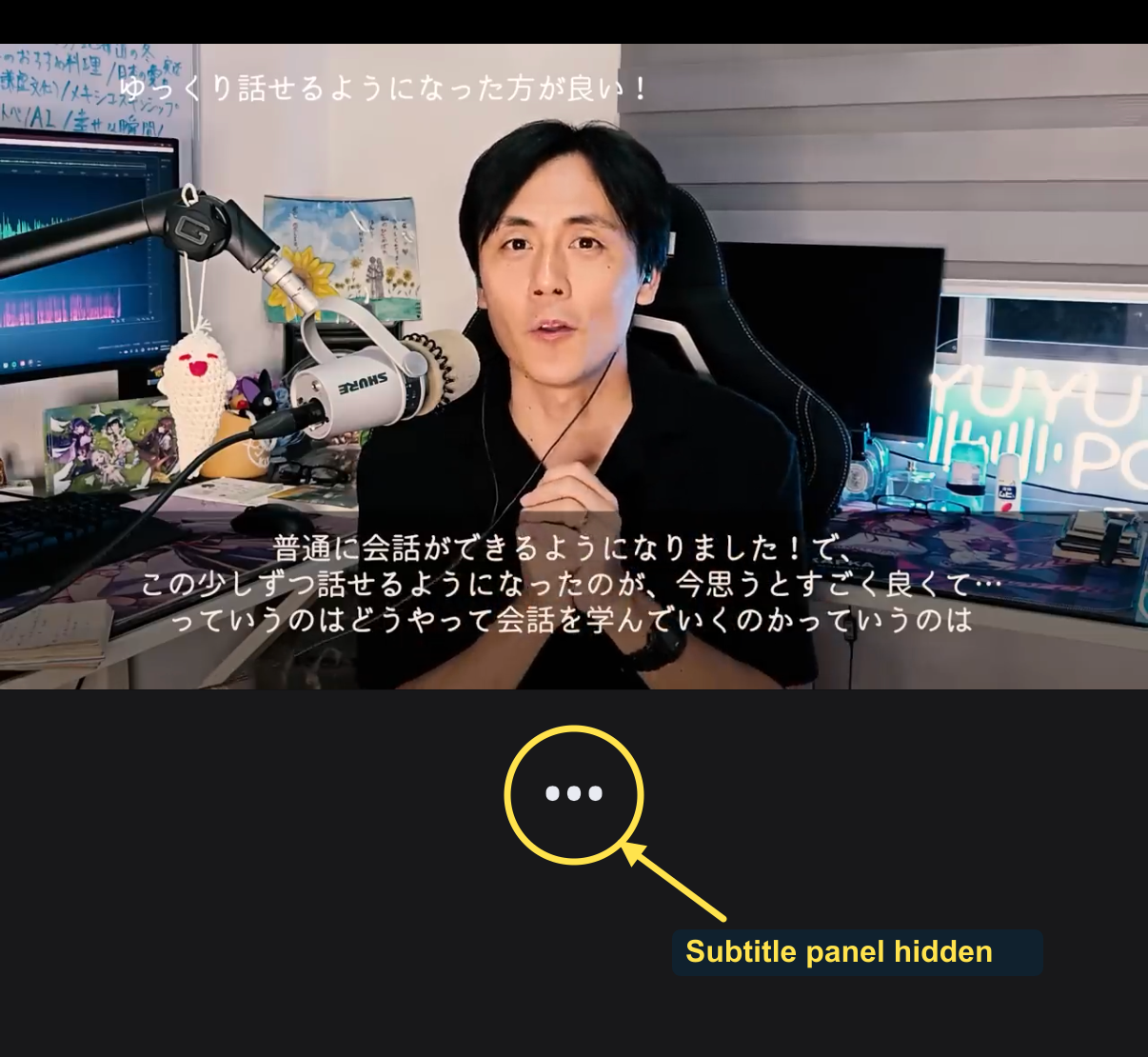
Notice the distinction in this example: the circled dots show that Manatan's panel is hidden, but the creator's captions are still in the picture. For a genuine listen-first attempt with this video, look away from that picture.
Before you check, ask yourself something concrete: Who is speaking? What are they talking about? Which phrase did I recognize? A partial answer is useful. You do not have to understand the entire passage.
4. Pause and check what you missed
Tap Pause. The current Japanese line appears again. Compare it with what you thought you heard, and focus on one useful difference.
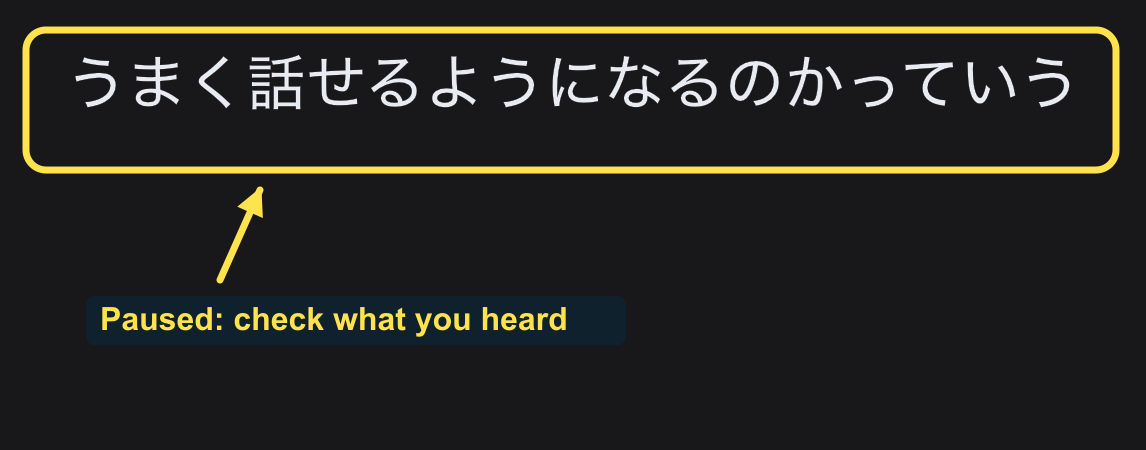
Was it an unfamiliar word, or a word you knew on the page but did not recognize in speech? If needed, tap the word to check its reading and meaning. Automatic captions can contain errors or split a thought across several lines, so do not treat every displayed fragment as a complete sentence.
5. Replay, then keep going
While paused, tap the circular Replay current subtitle arrow, then Play. Listen again without reading the panel. Look away again if the video itself contains captions.
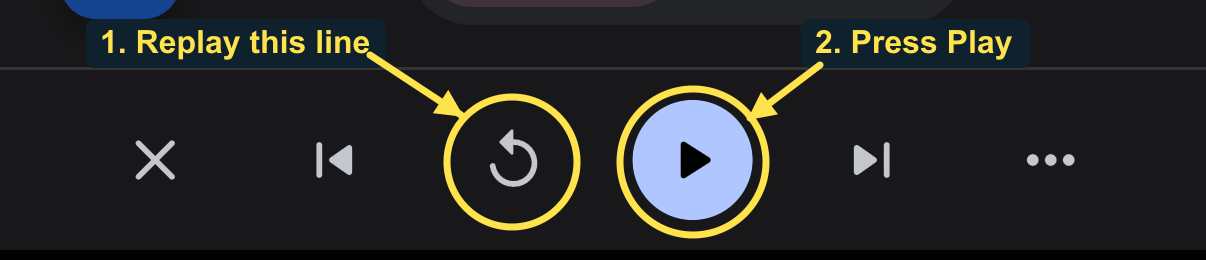
If the phrase is clearer now, move on. If repeated listening still gives you almost nothing, use a shorter passage or easier material. You can also read first and listen afterwards. The routine should help you notice language, not become a guessing test you cannot finish.
When you want ordinary viewing again, open CC, return Play mode to Default, and choose whichever subtitle layout you prefer.
You do not need to make every viewing session listen-first. A study of caption reliance found differences in learners' need for caption support. Treat this as one practice option, not a rule that subtitles are bad. Start with a few manageable passages and keep time for watching things you enjoy.