Mine Visual Novels on Android With a Controller
Use Manatan Screen Lookup to read Japanese dialogue, check words, and mine flashcards while playing a visual novel on Android with a controller.
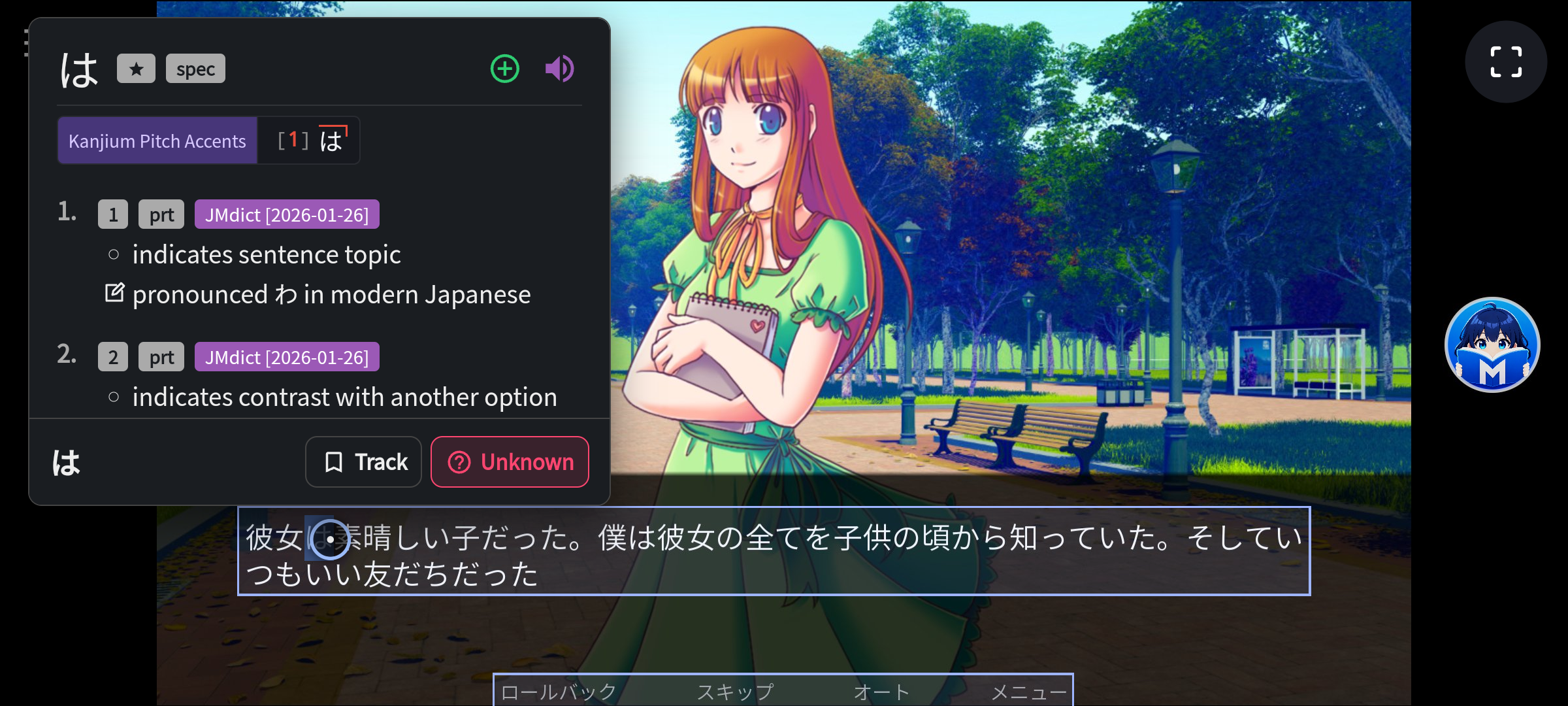
You can play a visual novel on your Android phone and use Manatan to look up its Japanese dialogue. You do not need to type out the kanji or move the game to a computer.
Screen Lookup reads the text on screen and opens it in Manatan's dictionary. When you find a word you want to learn, you can save it as a flashcard, then return to the game. The visual novel runs in its own app. Manatan provides the lookup overlay.
The dictionary opens over the VN. The selected word is highlighted in the dialogue, and the blue circle is the controller cursor.
Use your controller for lookups
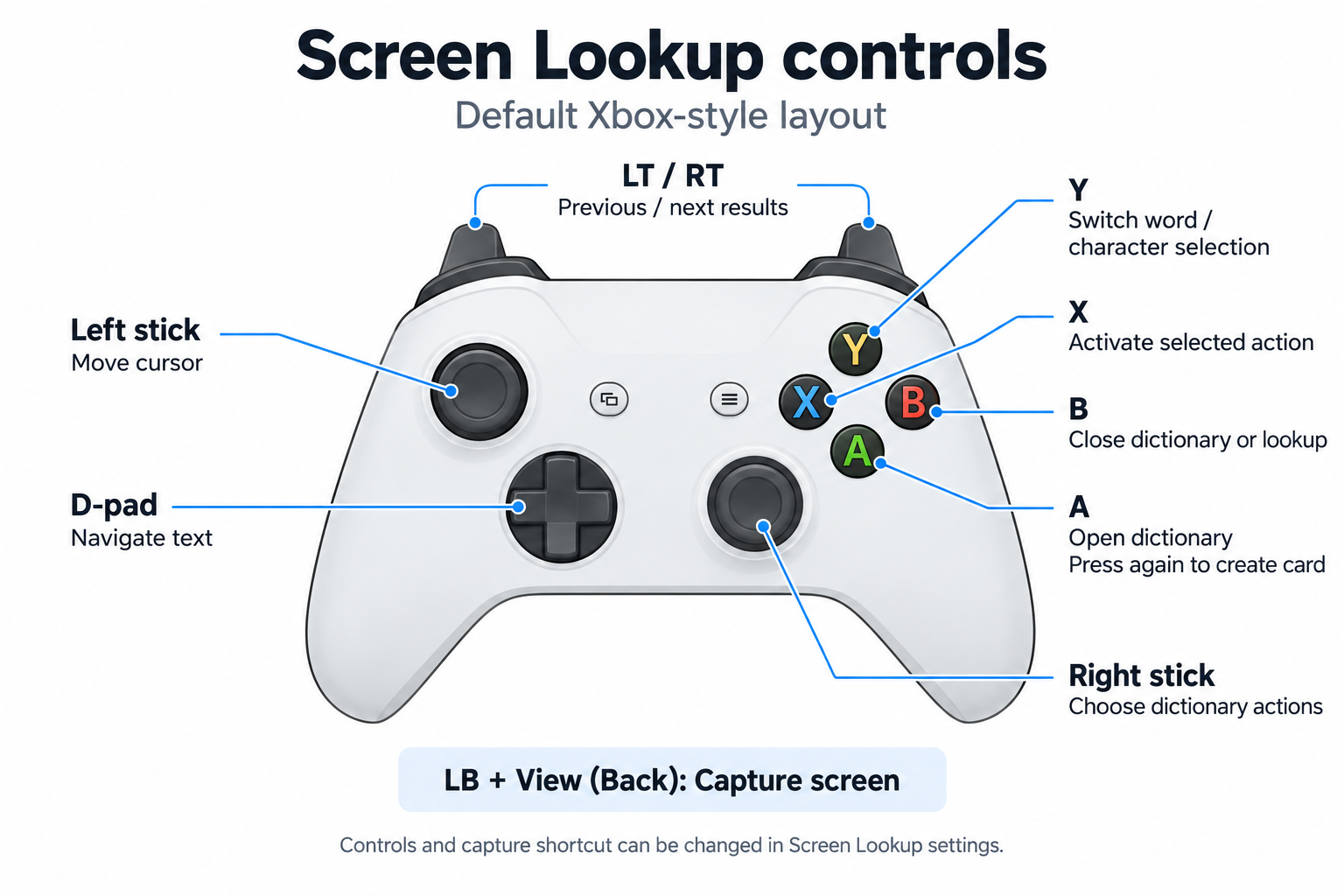
Default Xbox-style controls. Button mappings and the capture shortcut can be changed in Screen Lookup settings.
If you play with a controller, you can use it for the dictionary too. Set a global capture shortcut in Screen Lookup settings, then press it when a line of dialogue is on screen. You can also capture with the floating Manatan button.
Use the D-pad to move through the recognized text, or the left stick to position the cursor. With the Xbox layout, A opens the dictionary entry. Pressing A again in the dictionary creates a card. Y switches between selecting words and individual characters. You can change the button layout and shortcut to suit your controller.
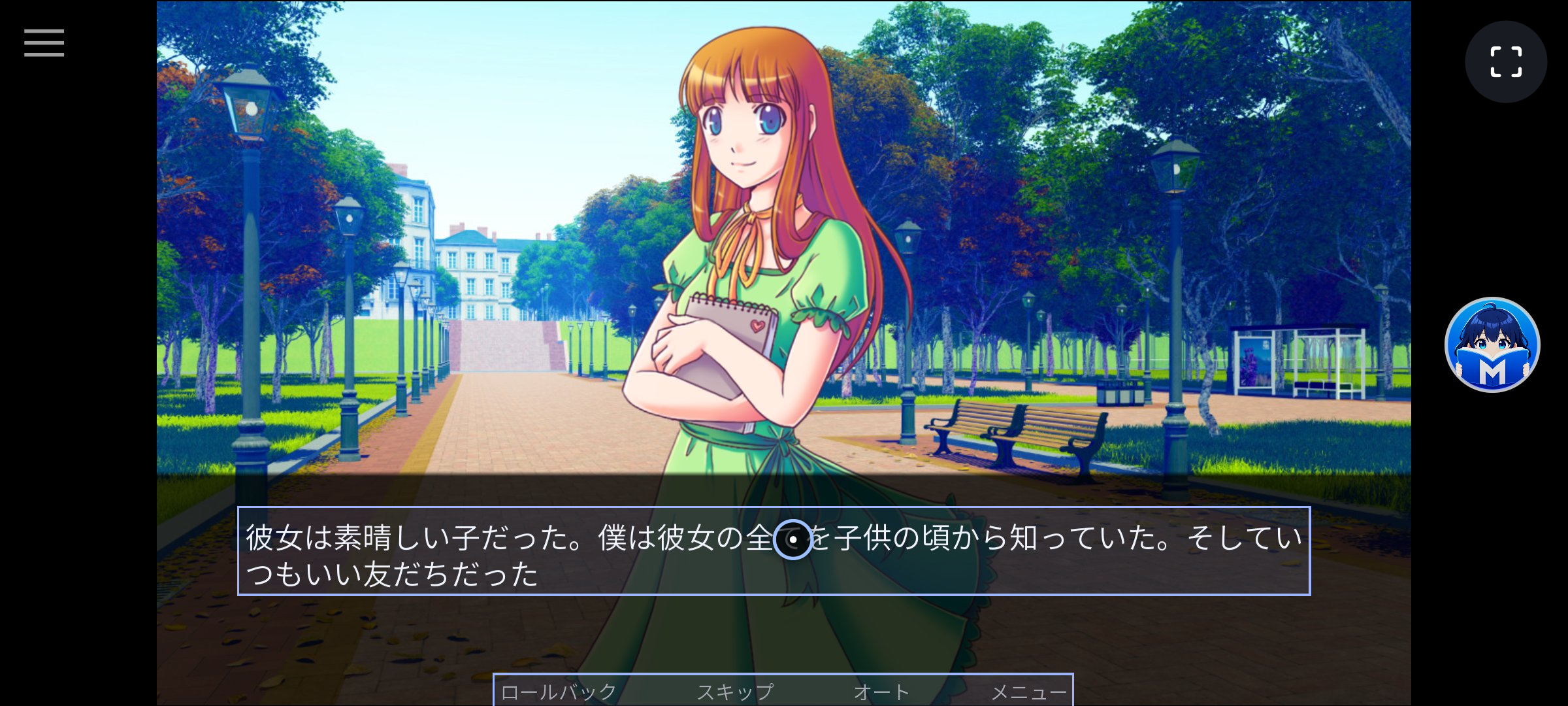
Move the cursor with the left stick. The outlined dialogue is text recognized by Screen Lookup.
The game is The Question, a Ren'Py example visual novel, running in Firefox. It is not bundled with Manatan.
Set it up
Install Manatan for Android and add a Japanese dictionary. If you want to mine cards, configure your flashcard destination before starting the game.
In Manatan, open More, then Settings, then Screen Lookup. Choose your OCR provider and recognition area. Enable Screen lookup from More and complete the Android capture and overlay prompts. For controller capture, also complete the controller-access setup and check your buttons with Test controller input.
Open a visual novel you already own or have permission to play. Stop on a clear line, trigger the capture, and check that the recognized text is correct before saving a card. Focusing the recognition area on the dialogue box can help keep menus and other text out of the results.
Screen Lookup is an Android feature. It does not run the game for you or bypass apps that block screen capture. Recognition depends on the font and image quality, so check the word rather than assuming every capture is exact.